Master Your E8 Dashboard: Real-Time Monitoring for Funded Accounts
Missing a daily drawdown limit by a few pips because you were not monitoring your account in real time is a common cause for failed challenges. Relying on manual checks or delayed email notifications from your broker often leaves you reacting to a breach after it has already occurred.
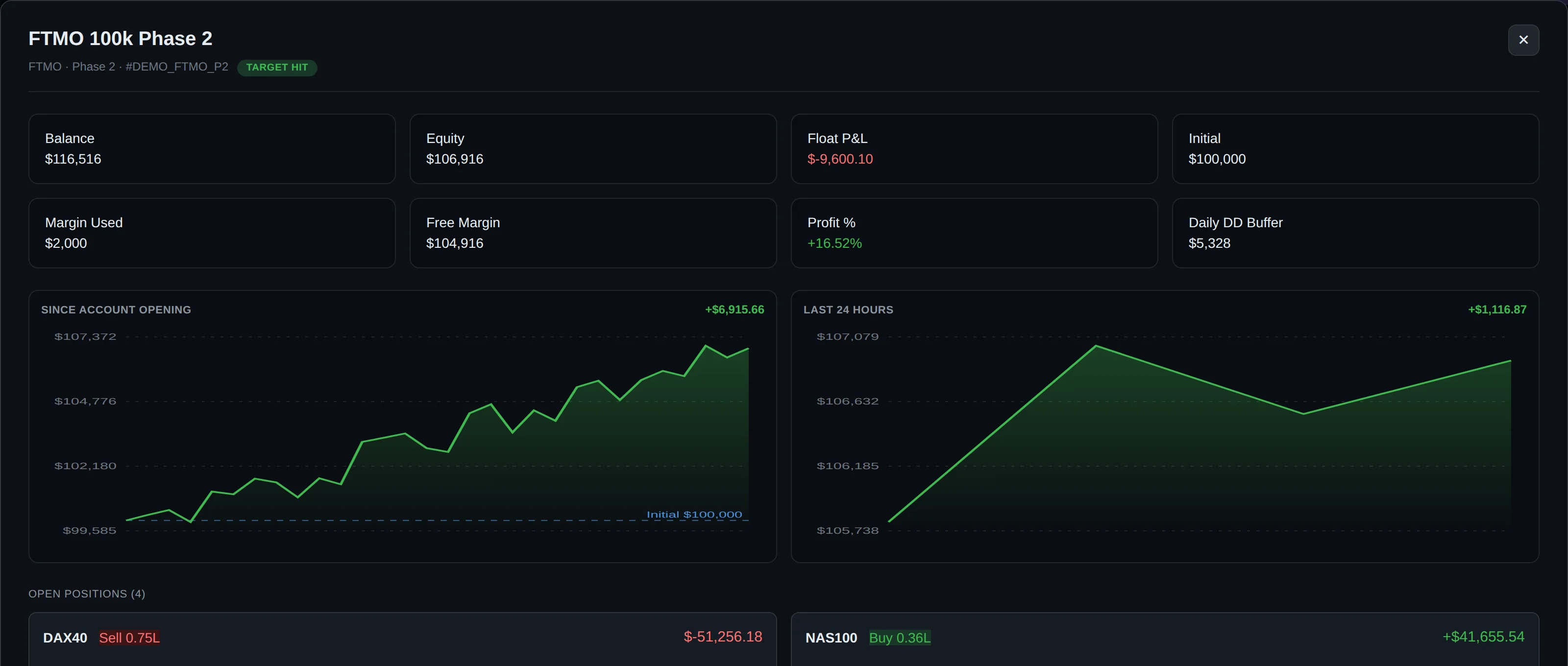
DeckLive provides a centralized E8 dashboard that tracks your balance, equity, and floating drawdown across all your accounts simultaneously. By connecting via an investor password, you gain a cloud-hosted, real-time view of your performance, allowing you to manage risk proactively before a limit is ever breached.
Why not just use your prop firm's own dashboard?
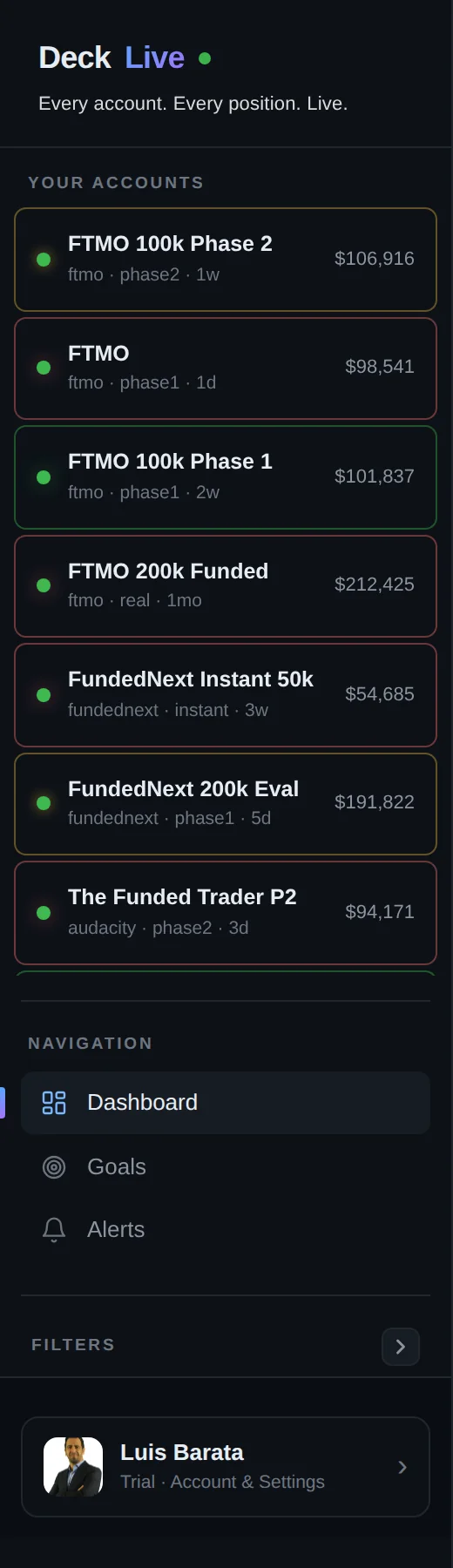
- All your accounts on one screen, not one at a time
- Live updates every few seconds, not a manual refresh
- Telegram and email alerts before you breach a limit
- Each prop firm's rules (Daily DD, Max DD, Profit Target) pre-configured per account
Tracking E8 Markets Rules and Phases
DeckLive pre-configures your E8 Markets account settings to ensure you always know where you stand relative to your specific challenge requirements. Whether you are in a multi-step evaluation or managing a funded account, the dashboard monitors your progress against key performance metrics.
| Rule Type | Description |
|---|---|
| Daily Drawdown | Tracks the maximum allowable loss within a single trading day. |
| Max/Total Drawdown | Monitors the cumulative loss limit across the account lifetime. |
| Profit Target | Displays progress toward the goal required to pass the current phase. |
Note: Prop firm rules can change frequently; always confirm the current parameters for your specific account plan on the official E8 Markets website.
How to Connect Your E8 Account
Connecting your account to DeckLive is a straightforward process that does not require installing any software, EAs, or VPS. You simply navigate to your dashboard and input the broker server details, your account number, and the investor password provided by E8 Markets.
Because DeckLive utilizes the read-only investor password, the connection is strictly for data retrieval. You must select the appropriate phase for your account during setup to ensure that the tracking logic aligns with your current progress, whether you are in an evaluation phase or on a live funded account.

Real-Time Monitoring via WebSocket
Speed is critical when managing prop firm capital. Unlike standard platforms that rely on periodic refreshing, DeckLive uses WebSocket technology to maintain a constant connection to your broker's server. This ensures that your floating P&L and drawdown data are updated every few seconds.
This high-frequency data stream allows you to see the exact impact of every open trade on your account equity. By keeping this information visible on one screen, you can make informed decisions and stay within the strict risk parameters required by your firm.
Automated Risk Alerts
The most vital feature of the DeckLive dashboard is the proactive alert system. Instead of waiting for a notification from your broker after a rule has been violated, our system triggers alerts via Telegram and email as you approach your defined limits.
These alerts are customizable based on your account's specific drawdown and profit rules. By receiving these warnings before a breach occurs, you have the opportunity to close positions or adjust your strategy, effectively protecting your account from premature termination.
Secure and Independent Infrastructure
DeckLive operates as an independent service and is not affiliated with E8 Markets or MetaQuotes. Our cloud-hosted architecture ensures that your dashboard is accessible from any device without the need for an MT4 or MT5 installation on your local machine.
Security is our priority; because we only use the investor password, the dashboard is physically incapable of placing, modifying, or closing trades. Your funds remain entirely under your control, and the service acts solely as a window into your account's performance metrics.
Start Your 7-Day Free Trial
We invite you to experience the clarity of a unified dashboard with a 7-day free trial. There is no commitment required, and you can connect your existing E8 Markets accounts to see how our real-time tracking improves your risk management workflow.
Once your trial period concludes, you can choose to continue your subscription to maintain constant oversight of your trading performance. Our support team is available to assist you with the setup process, ensuring that your accounts are correctly configured and monitored from day one.
Frequently asked questions
Can I be banned for using the read-only investor password with a third-party tool?
Using an investor password is a standard feature provided by MetaTrader for the purpose of sharing account performance. Since it is a read-only credential that cannot execute trades, it is generally permitted by prop firms.
Does it work on the firm's restricted MT5 server build?
Yes. As long as your broker provides you with an investor password for your account, DeckLive can connect to the server and pull the data regardless of the specific MT5 build used by the firm.
What happens to my data if I breach and the account is closed?
If an account is closed by the firm, the data connection will cease to function. Your historical data remains available in your DeckLive account for your records, but the dashboard will no longer receive live updates for that specific account.
Can I track Phase 1, Phase 2 and funded accounts on the same screen?
Absolutely. DeckLive is designed to display multiple accounts simultaneously. You can add as many accounts as you like to your dashboard, regardless of their current phase or status.
How many seconds of delay between my trade and the dashboard updating?
DeckLive uses WebSocket technology to ensure updates occur every few seconds. This provides a near real-time experience, ensuring you are not looking at stale data when managing your risk.
Is the investor password safe?
The investor password is safe because it is strictly a read-only credential. It does not grant the ability to trade, withdraw funds, or change account settings, ensuring your capital remains secure.
Can DeckLive place or close trades?
No. DeckLive is a monitoring tool only. Due to the use of the investor password, the system has no technical capability to interact with your trading terminal or execute any orders.
Do I need to keep my computer or MT5 open?
No. DeckLive is entirely cloud-hosted. Once you have connected your account via the investor password, our servers handle the data retrieval, so you do not need to keep your own computer or trading platform running.
Data sources
The rules and limits cited on this page come from the official rules published by each prop firm (FTMO, FundedNext, The5ers, Funding Pips, The Funded Trader, E8, Topstep, Apex) and from the MetaTrader 4 and 5 platform documentation. The equity, balance, P&L and drawdown values shown in DeckLive are read in real time directly from your MT4/MT5 account — they are not estimates.