Monitor Every FTMO Account in Real-Time with a Dedicated FTMO Dashboard
Missing a daily drawdown limit by a few dollars because your platform failed to update or you were away from your desk is a frustrating reality for many prop traders. Relying on manual checks or slow broker portals often leads to avoidable account breaches during volatile market sessions.
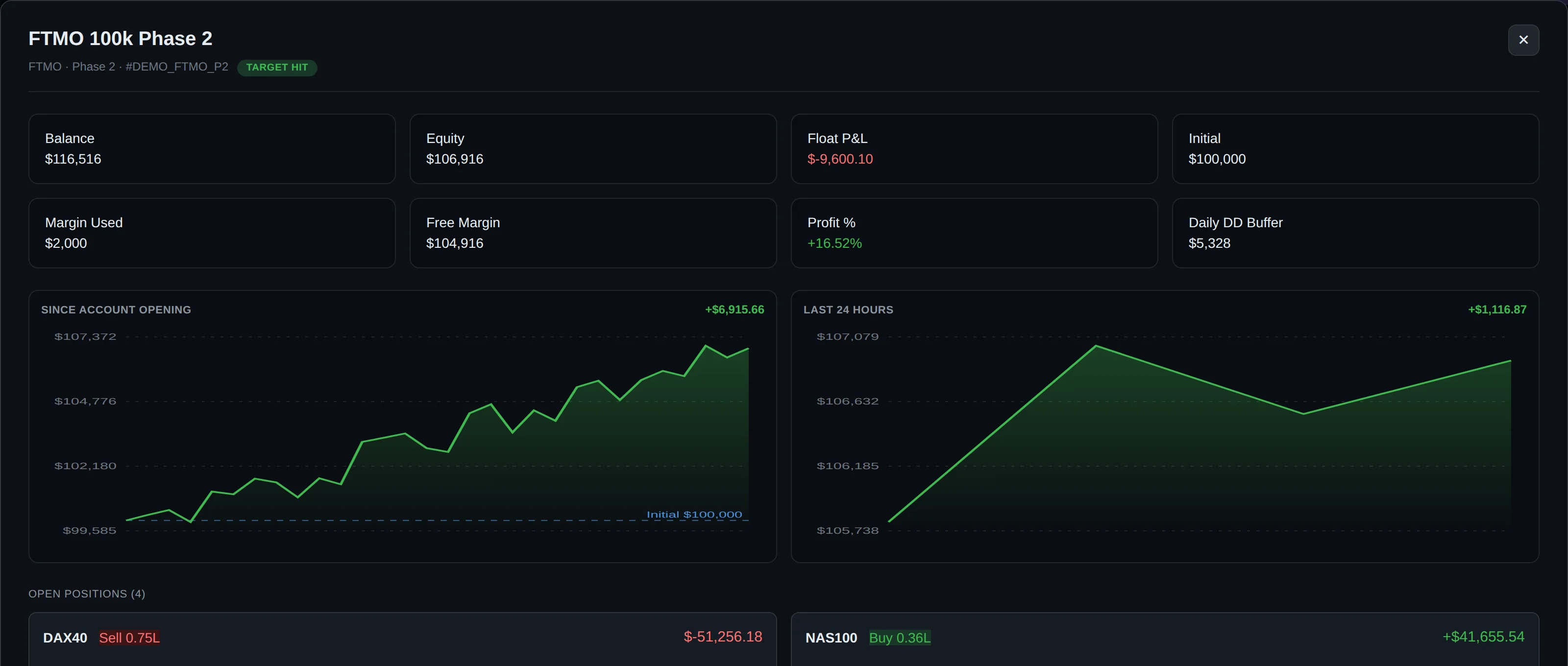
DeckLive provides a real-time multi-account dashboard designed to solve this visibility gap. By connecting your MetaTrader accounts via a read-only investor password, you gain a centralized view of your balance, equity, and floating drawdown, ensuring you stay within your limits at all times.
Why not just use your prop firm's own dashboard?
- All your accounts on one screen, not one at a time
- Live updates every few seconds, not a manual refresh
- Telegram and email alerts before you breach a limit
- Each prop firm's rules (Daily DD, Max DD, Profit Target) pre-configured per account
Tracking FTMO Rules and Profit Targets
DeckLive pre-loads specific FTMO rules for every account you connect, allowing you to monitor your progress toward profit targets and stay clear of drawdown thresholds. Our system tracks your performance in real-time, sending automated Telegram and email alerts before you hit a limit, giving you the time needed to adjust your risk management.
| Phase | Profit Target | Daily Loss | Max Drawdown |
|---|---|---|---|
| FTMO 2-Step Challenge | 10% | 5% | 10% |
| FTMO 2-Step Verification | 5% | 5% | 10% |
| FTMO 1-Step | Custom | 3% | 10% |
Note: Prop firm rules can change frequently; please confirm the current parameters for your specific account on the official FTMO website.
How to Connect Your FTMO Account
Connecting your account to DeckLive is a secure, read-only process that requires no VPS, no MetaTrader installation, and no EAs. Simply provide your broker server name, your account login, and your investor password to initiate the connection.
During the setup, you select the specific phase of your FTMO account. Once connected, our cloud-hosted infrastructure uses WebSockets to sync your account data every few seconds, providing a live feed of your equity, floating P&L, and drawdown status across all your connected accounts on one screen.

Cloud-Hosted Performance Monitoring
Because DeckLive is entirely cloud-hosted, you do not need to keep your computer running or maintain a VPS to track your accounts. This ensures that your monitoring remains active 24/7, regardless of your local internet connection or hardware status.
Our dashboard is designed for high-frequency updates, ensuring that the data you see is as close to the broker's server state as possible. This reliability is critical when managing multiple prop firm accounts simultaneously, as it removes the need to log in and out of different terminals.
Security and Read-Only Access
DeckLive operates strictly through read-only investor passwords. This means our system has absolutely no capability to place, modify, or close trades on your behalf. We are an independent service and are not affiliated with MetaQuotes or any prop firm.
This architecture ensures that your trading capital remains safe. By design, our software is restricted to monitoring and alerting, providing you with the peace of mind that your account credentials cannot be used to interfere with your trading activity or withdraw funds.
Multi-Account Management for Prop Traders
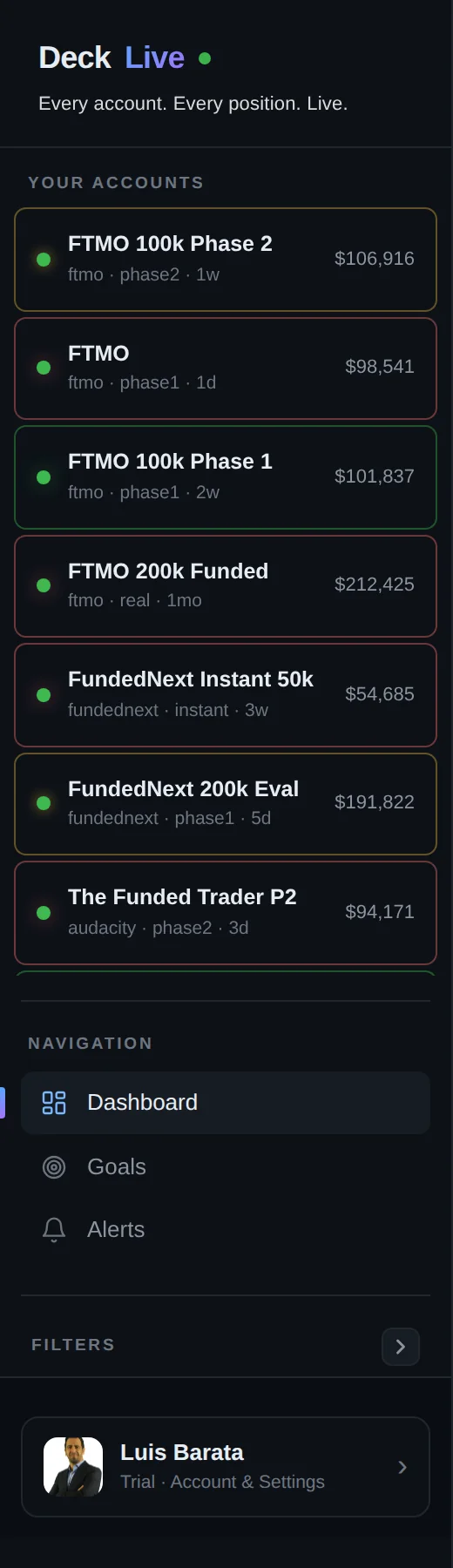
Managing multiple prop firm accounts often leads to fragmented information and oversight errors. DeckLive consolidates your personal broker accounts and prop firm evaluations into a single, intuitive interface, allowing you to compare performance across different strategies and firms.
By having a unified view of your total drawdown and floating P&L, you can better manage your overall risk exposure. Whether you are scaling through multiple challenges or managing several funded accounts, our dashboard provides the clarity required for professional risk management.
Start Your 7-Day Free Trial
Experience the benefit of real-time monitoring with a 7-day free trial of DeckLive. You can connect your accounts immediately and see how our automated alerts help protect your capital from accidental breaches.
Our platform is built for traders who prioritize risk management and want to eliminate the stress of manual account monitoring. Sign up today to see why professional traders rely on DeckLive to maintain visibility over their entire portfolio of accounts.
Frequently asked questions
Can I be banned for using the read-only investor password with a third-party tool?
The investor password is a standard feature provided by MetaTrader to allow read-only access to account data. Using it for monitoring purposes is generally accepted, as it does not involve trading activity or server-side interference.
Does it work on the firm's restricted MT5 server build?
Yes, DeckLive connects to the broker server via standard protocols. As long as you have your server details and a valid investor password, the dashboard will pull the necessary data regardless of the specific MT5 build used by the firm.
What happens to my data if I breach and the account is closed?
If an account is closed by the firm, the data feed will stop updating. You will still be able to see the final state of the account as it appeared at the time of the last successful synchronization.
Can I track Phase 1, Phase 2, and funded accounts on the same screen?
Yes, DeckLive is designed to display all your connected accounts, including different phases and funded accounts, on a single, unified dashboard for easy comparison.
How many seconds of delay between my trade and the dashboard updating?
DeckLive uses WebSockets to ensure updates occur every few seconds. While there may be a marginal network latency, the dashboard is optimized to provide near real-time data.
Is the investor password safe?
Your investor password is used solely for read-only access. It does not grant permission to trade or withdraw funds, ensuring your account remains secure from unauthorized actions.
Can DeckLive place or close trades?
No. Because we use the read-only investor password, our system is technically incapable of placing, modifying, or closing trades on your behalf.
Are you affiliated with FTMO or MetaQuotes?
No, DeckLive is an independent service. We are not affiliated with, endorsed by, or connected to FTMO, MetaQuotes, or any other broker or prop firm.
Data sources
The rules and limits cited on this page come from the official rules published by each prop firm (FTMO, FundedNext, The5ers, Funding Pips, The Funded Trader, E8, Topstep, Apex) and from the MetaTrader 4 and 5 platform documentation. The equity, balance, P&L and drawdown values shown in DeckLive are read in real time directly from your MT4/MT5 account — they are not estimates.