Master Your FundedNext Dashboard with Real-Time Risk Monitoring
Managing multiple funded accounts often leads to catastrophic oversights, such as missing a daily drawdown limit by a few dollars because you were monitoring the wrong terminal. When you are juggling several challenges simultaneously, the lack of a centralized view makes it nearly impossible to react before a breach occurs.
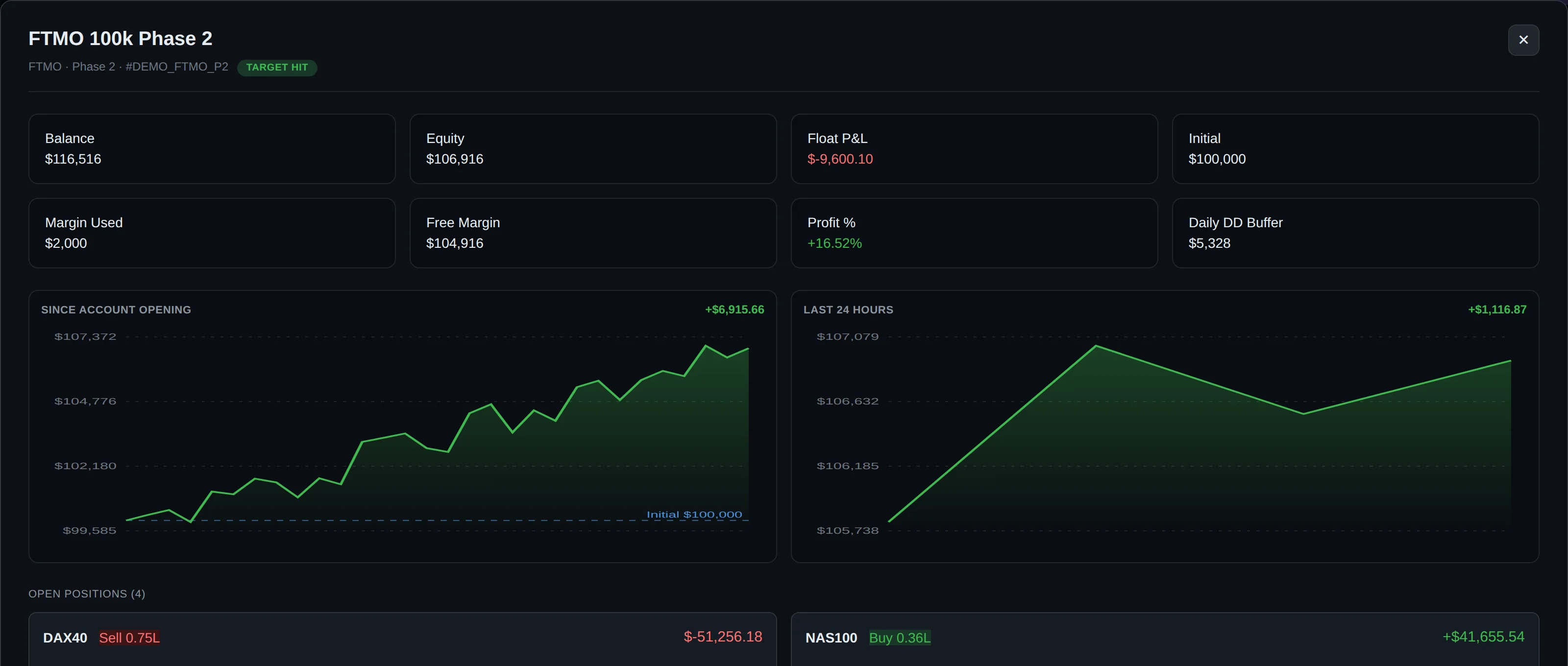
DeckLive provides the definitive FundedNext dashboard, allowing you to oversee all your prop firm and personal broker accounts from a single, cloud-hosted interface. By connecting via an investor password, you gain a real-time, read-only view of your balance, equity, and floating P&L, ensuring you stay ahead of firm rules without the need for a VPS or EA.
Why not just use your prop firm's own dashboard?
- All your accounts on one screen, not one at a time
- Live updates every few seconds, not a manual refresh
- Telegram and email alerts before you breach a limit
- Each prop firm's rules (Daily DD, Max DD, Profit Target) pre-configured per account
Tracking FundedNext Rules and Parameters
DeckLive pre-configures specific prop firm logic to help you maintain compliance across your challenges. Whether you are navigating a standard 2-step evaluation or an express model, the dashboard tracks your progress against defined profit targets and critical loss limits.
| Metric | 2-Step Target/Limit |
|---|---|
| Phase 1 Profit | 8% |
| Phase 2 Profit | 5% |
| Daily Loss Limit | 5% |
| Max Drawdown | 10% |
Note: Prop firm rules can change frequently; always confirm the current parameters for your specific account type on the official FundedNext website.
How to Connect Your FundedNext Account
Connecting your account to DeckLive is a straightforward process that requires no software installation or expert advisors. Simply provide the broker server name and your investor password—the read-only credential provided by your broker—to initiate the secure data feed.
During the setup, you will select the appropriate account phase to ensure the dashboard applies the correct monitoring logic. Because DeckLive uses a read-only connection, your account remains completely isolated from the trading environment, ensuring that the dashboard cannot execute, modify, or close any trades on your behalf.

Real-Time Monitoring via WebSocket
Speed is critical when managing drawdown. DeckLive utilizes WebSocket technology to pull data directly from your MT4 or MT5 accounts every few seconds, providing a near-instantaneous reflection of your current floating P&L and equity.
This constant stream of data ensures that your dashboard is always synchronized with the market. By eliminating the lag associated with manual checking, you can make informed decisions about your risk exposure before you hit the firm's strict drawdown thresholds.
Proactive Alert System
The core value of DeckLive lies in its ability to notify you before a breach occurs. By monitoring your account in real time, the system sends automated Telegram and email alerts the moment your account approaches a daily or maximum drawdown limit.
This proactive approach allows you to step away from the charts with confidence, knowing that you will be alerted to potential rule violations. You no longer need to keep your trading platform open 24/7 to ensure your funded status remains secure.
Cloud-Hosted Convenience
DeckLive is entirely cloud-hosted, meaning you do not need to maintain a VPS or keep your local computer running to track your accounts. Once your investor credentials are added, the platform handles the data aggregation and monitoring independently of your local hardware.
This architecture ensures that your monitoring remains uninterrupted, even if your internet connection drops or your computer is powered off. It is a lightweight, independent solution designed specifically for the professional prop trader who values efficiency.
Security and Independence
DeckLive operates as a strictly independent service and maintains no affiliations with MetaQuotes or any specific prop firm. Our read-only architecture means we have zero access to your trading capabilities, withdrawal functions, or account management settings.
By using only the investor password, we ensure that your capital remains entirely under your control. We focus exclusively on data visualization and risk management, providing a secure environment for you to track your growth across multiple broker accounts simultaneously.
Frequently asked questions
Can I be banned for using the read-only investor password with a third-party tool?
The investor password is a standard feature provided by MT4/MT5 brokers specifically for third-party monitoring. Using it for read-only tracking does not interfere with the firm's server or trading rules.
Does it work on the firm's restricted MT5 server build?
Yes, as long as your broker provides valid investor credentials for your account, DeckLive can connect and monitor the data regardless of the specific server build.
What happens to my data if I breach and the account is closed?
If an account is closed by the firm, the data feed will simply stop updating. Your historical data remains in your DeckLive dashboard for your review, but the account will no longer show active metrics.
Can I track Phase 1, Phase 2 and funded accounts on the same screen?
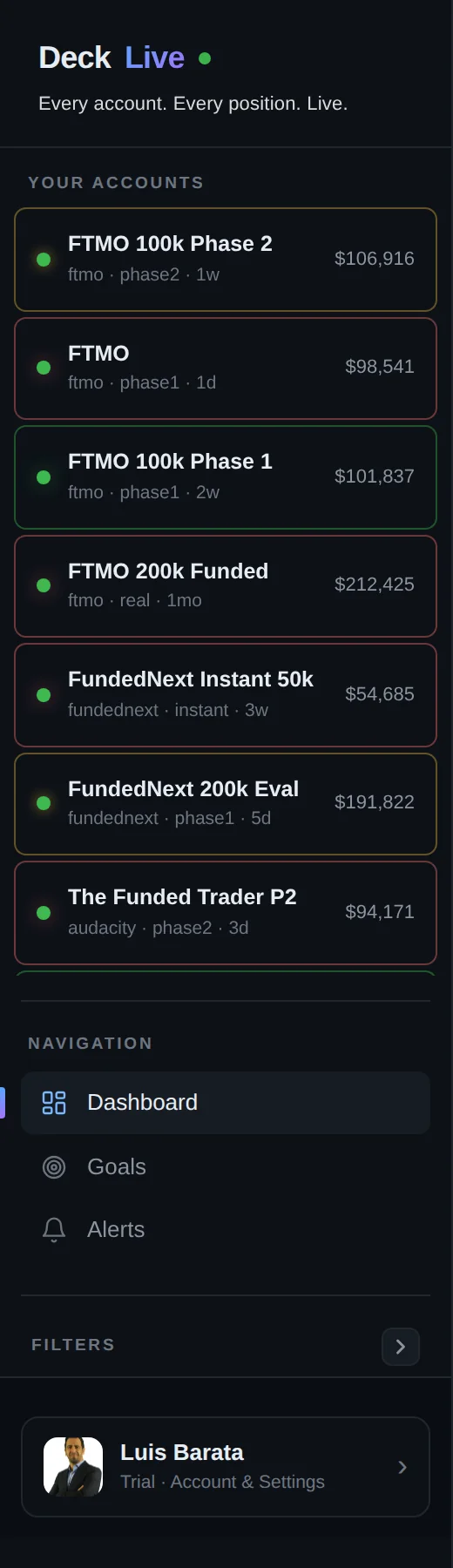
Absolutely. You can add as many accounts as you like to your dashboard, and DeckLive will display them all on a single screen, allowing you to monitor different phases and account types simultaneously.
How many seconds of delay between my trade and the dashboard updating?
DeckLive updates via WebSocket every few seconds, ensuring that your floating P&L and equity are reflected on your dashboard almost immediately after the market moves.
Is the investor password safe?
The investor password is a read-only credential that prevents any trading activity. It is the safest way to provide third-party tools with access to your account data without risking your capital.
Can DeckLive place or close trades?
No. DeckLive is a read-only dashboard. It lacks the technical permissions to execute, modify, or close any trades on your behalf, ensuring your account remains entirely under your control.
Is there a trial period available?
Yes, we offer a 7-day free trial so you can test the dashboard and see how it integrates with your FundedNext accounts before committing to a subscription.
Data sources
The rules and limits cited on this page come from the official rules published by each prop firm (FTMO, FundedNext, The5ers, Funding Pips, The Funded Trader, E8, Topstep, Apex) and from the MetaTrader 4 and 5 platform documentation. The equity, balance, P&L and drawdown values shown in DeckLive are read in real time directly from your MT4/MT5 account — they are not estimates.