The Ultimate Multi-Account Prop Firm Dashboard for Serious Traders
Managing multiple prop firm challenges and funded accounts often leads to fragmented oversight. Traders frequently find themselves switching between dozens of MT4 or MT5 terminals, struggling to keep track of varying drawdown limits and profit targets across different platforms. This lack of centralized visibility creates a high risk of accidental breaches simply because one account's status was overlooked during a busy trading session.
DeckLive solves this by providing a unified multi-account prop firm dashboard. By connecting via your read-only investor password, our cloud-hosted platform aggregates your balance, equity, and floating P&L into a single, real-time interface. You can now monitor your entire portfolio of personal and funded accounts side-by-side, ensuring you always have a clear view of your risk exposure without the need for a VPS or complex software installations.
Why not just use your prop firm's own dashboard?
- All your accounts on one screen, not one at a time
- Live updates every few seconds, not a manual refresh
- Telegram and email alerts before you breach a limit
- Each prop firm's rules (Daily DD, Max DD, Profit Target) pre-configured per account
Unified View Across All Your Brokers
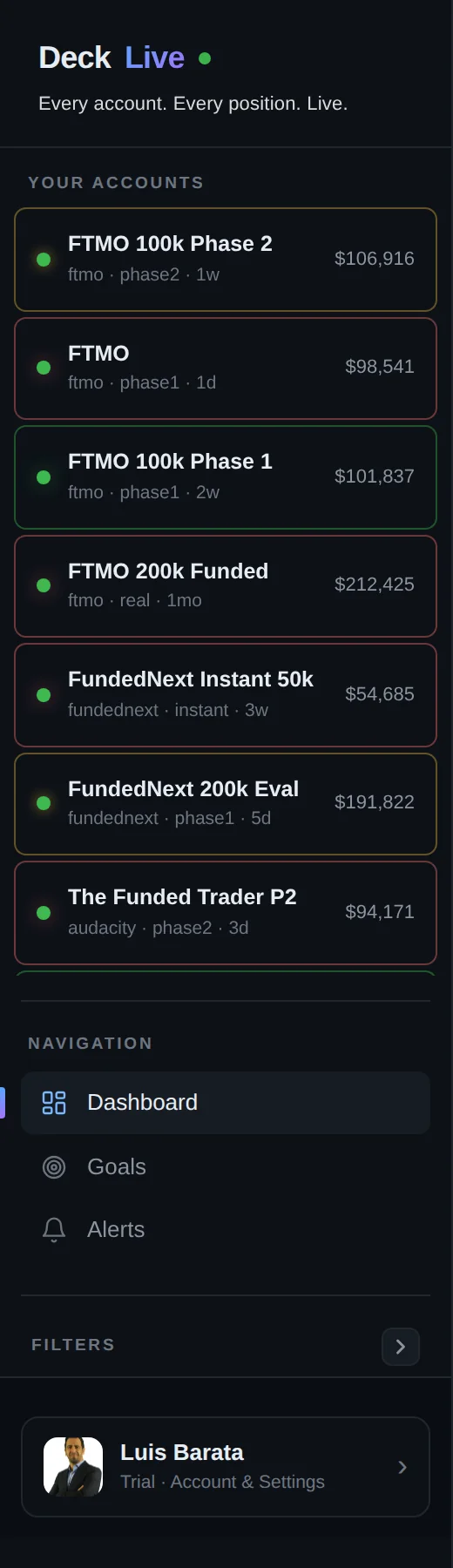
Managing accounts from different brokers and prop firms usually requires keeping multiple MT4 or MT5 instances open, which consumes significant system resources and complicates your workflow. DeckLive eliminates this clutter by centralizing every account into one browser-based screen.
Because the platform is cloud-hosted and connects via investor passwords, you do not need to install any EAs or keep your computer running. You see every account side-by-side, allowing you to compare performance and monitor your global equity across all firms simultaneously.
Real-Time Drawdown Tracking for Every Firm
Every prop firm has unique drawdown calculation methods, whether it is based on balance, equity, or specific daily limits. Keeping these rules straight while managing multiple challenges is a significant mental burden that often leads to errors.
DeckLive pre-loads the specific rules for each of your accounts. The dashboard tracks your daily and total drawdown in real-time, providing a clear visual indicator of how close you are to your limits. By monitoring these metrics constantly, you can adjust your risk management strategy before a breach occurs.

Instant Alerts Before a Breach
The most stressful part of prop trading is the fear of breaching a rule due to a momentary lapse in attention. DeckLive provides automated Telegram and email alerts that trigger as you approach your drawdown limits or profit targets.
These alerts act as a safety net, giving you the time to close positions or reduce size before a limit is hit. By receiving notifications directly to your phone, you stay informed even when you are away from your trading desk, ensuring you never miss a critical update on your funded accounts.
How Your Data is Displayed
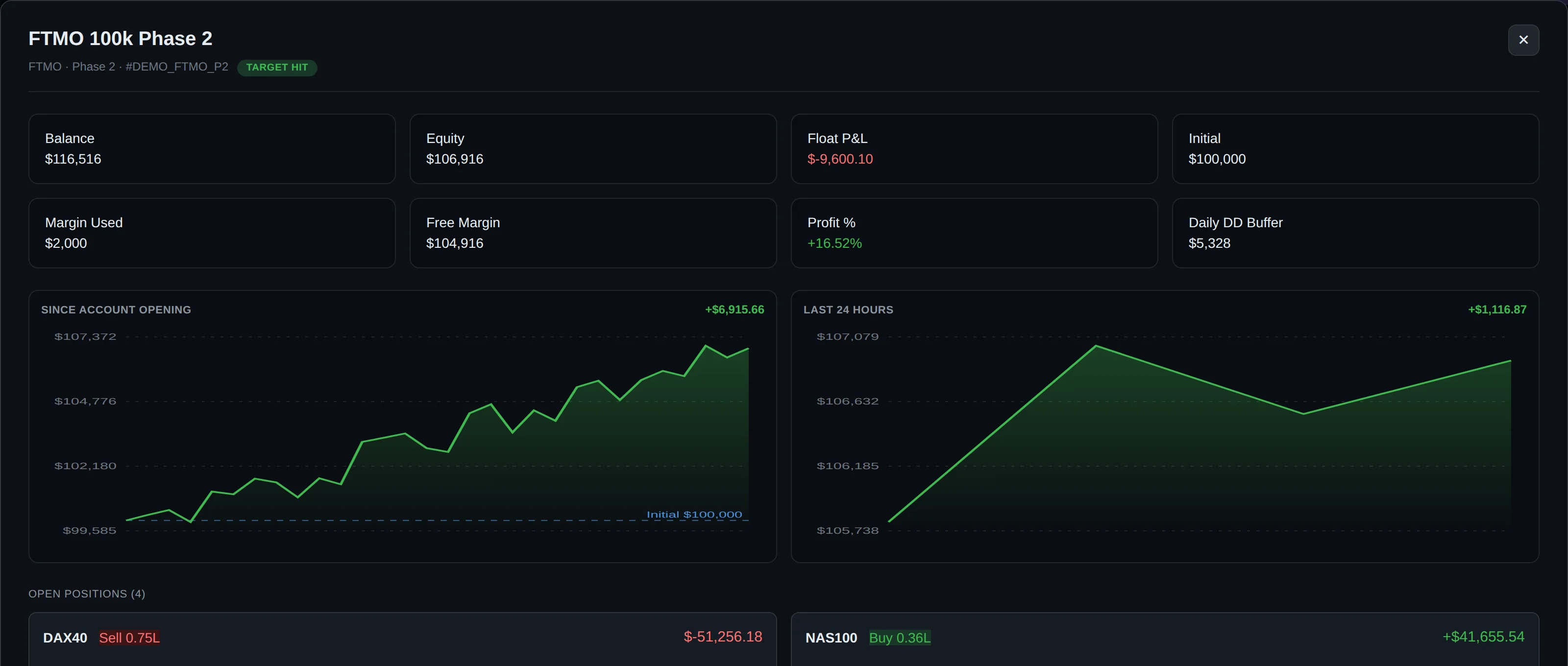
We believe in transparency and clarity. Our dashboard is designed to give you the most important information at a glance, updated every few seconds via WebSocket to ensure you are looking at the most current data available.
| Metric | Description |
|---|---|
| Equity | Current account value including open trades |
| Floating P&L | Live profit or loss of active positions |
| Drawdown | Percentage or value relative to firm limits |
| Status | Real-time connection and breach alerts |
Security and Read-Only Access
Security is the foundation of our service. DeckLive uses the MT4/MT5 investor password, which is strictly read-only. This means our platform has absolutely no capability to place, modify, or close trades on your behalf.
Because we are an independent service and not affiliated with any prop firm or MetaQuotes, your data remains private. You retain full control over your accounts, and because we do not require trade execution permissions, your funds are never at risk through our dashboard.
Getting Started with DeckLive
Setting up your dashboard is straightforward and requires no technical expertise. Since there is no software to install and no need for a VPS, you can connect your first account in minutes and begin monitoring your performance immediately.
We offer a 7-day free trial so you can experience the benefits of a centralized dashboard firsthand. Once your accounts are linked, you will have a professional-grade overview of your trading portfolio, allowing you to focus on your strategy rather than managing multiple terminal windows.
Frequently asked questions
Can I be banned for using the read-only investor password with a third-party tool?
Using an investor password is a standard feature provided by MetaTrader. Since this password only allows for viewing account data and cannot execute trades, it is generally permitted by brokers and prop firms. DeckLive does not interact with the trade server in a way that violates standard terms.
Does it work on the firm's restricted MT5 server build?
Yes. Because DeckLive connects via the investor password, it works regardless of the specific server build or customization the prop firm has applied to their MT5 environment.
What happens to my data if I breach and the account is closed?
If an account is closed due to a breach, the connection will simply stop sending data. Your historical data remains available in your DeckLive dashboard for your review, allowing you to analyze what went wrong.
Can I track Phase 1, Phase 2 and funded accounts on the same screen?
Yes. DeckLive is designed to aggregate all stages of your prop firm journey. You can add as many accounts as you like to the dashboard, regardless of whether they are evaluation challenges or live funded accounts.
How many seconds of delay between my trade and the dashboard updating?
DeckLive uses WebSocket technology to provide near-instant updates. Data typically updates every few seconds, ensuring you have a real-time view of your equity and drawdown.
Is the investor password safe?
The investor password is safe because it is inherently restricted. It does not allow for withdrawals or trade execution. By using this password, you ensure that even in the unlikely event of a security issue, your capital remains fully protected.
Can DeckLive place or close trades?
No. DeckLive is a read-only monitoring tool. It has no technical capability to place, modify, or close trades on your MT4 or MT5 accounts.
Are you affiliated with any prop firm or MetaQuotes?
No. DeckLive is an entirely independent platform. We are not affiliated with MetaQuotes, the developers of MT4/MT5, nor are we owned or operated by any prop firm.
Data sources
The rules and limits cited on this page come from the official rules published by each prop firm (FTMO, FundedNext, The5ers, Funding Pips, The Funded Trader, E8, Topstep, Apex) and from the MetaTrader 4 and 5 platform documentation. The equity, balance, P&L and drawdown values shown in DeckLive are read in real time directly from your MT4/MT5 account — they are not estimates.