Your Alpaca stock account, live, in one dashboard with everything else
If you trade US stocks on Alpaca and also run prop firm or forex accounts, your money lives in separate apps. Checking each one and adding it up by hand is slow, and you never see your real total exposure.
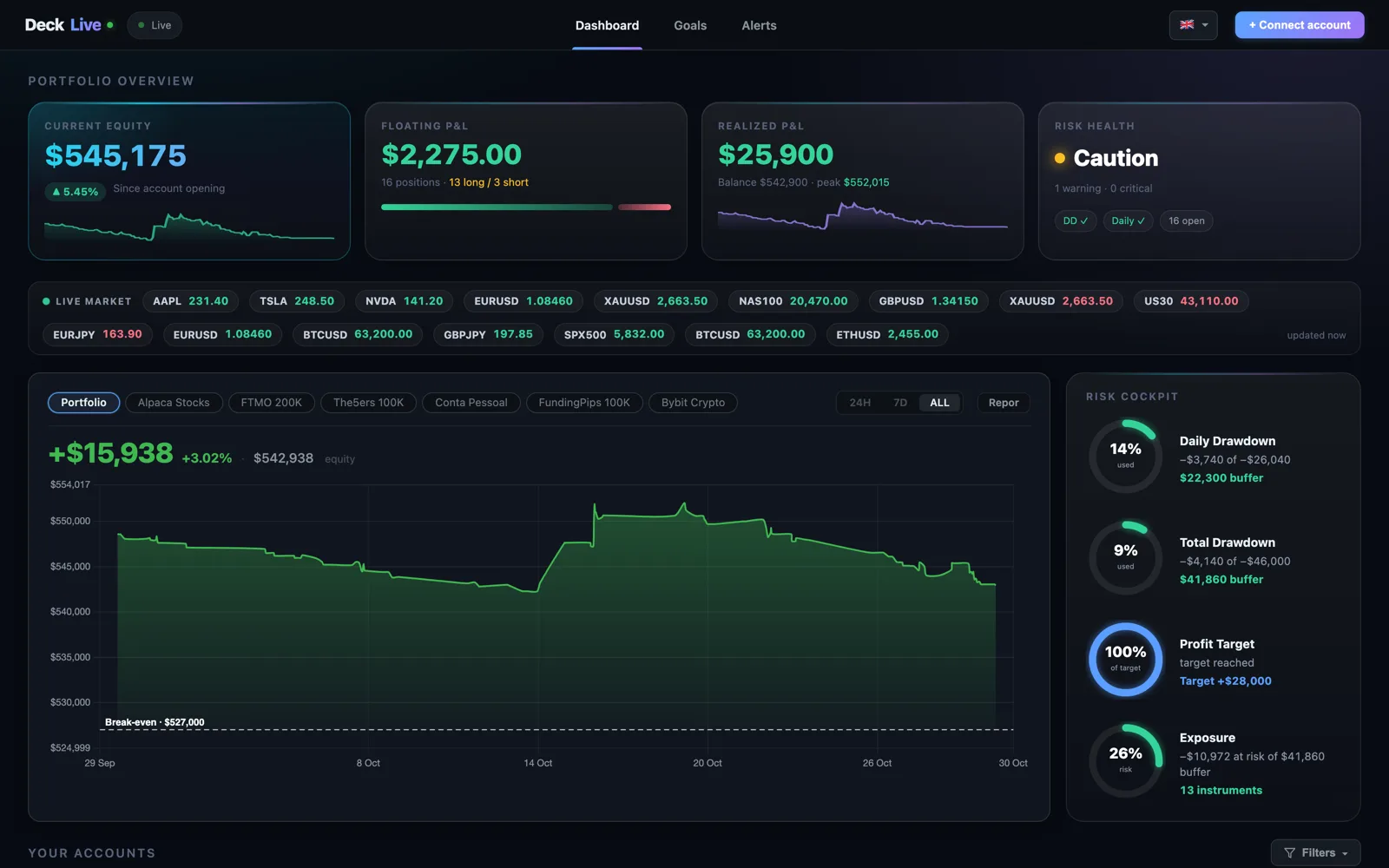
DeckLive reads your Alpaca account in real time and shows it on the same screen as your prop firm, MetaTrader and crypto accounts. One view, updated every few seconds, read-only.
Why not just use your prop firm's own dashboard?
- All your accounts on one screen, not one at a time
- Live updates every few seconds, not a manual refresh
- Telegram and email alerts before you breach a limit
- Each prop firm's rules (Daily DD, Max DD, Profit Target) pre-configured per account
All your stocks in one place
DeckLive brings your Alpaca account into the same dashboard as the rest of your trading. You see your stocks next to your prop firm accounts (FTMO, Apex, FundingPips), your MetaTrader forex and your crypto, with a portfolio summary on top.
No tab switching, no spreadsheets, no adding accounts up by hand. One screen for everything you trade.
What you see, every second
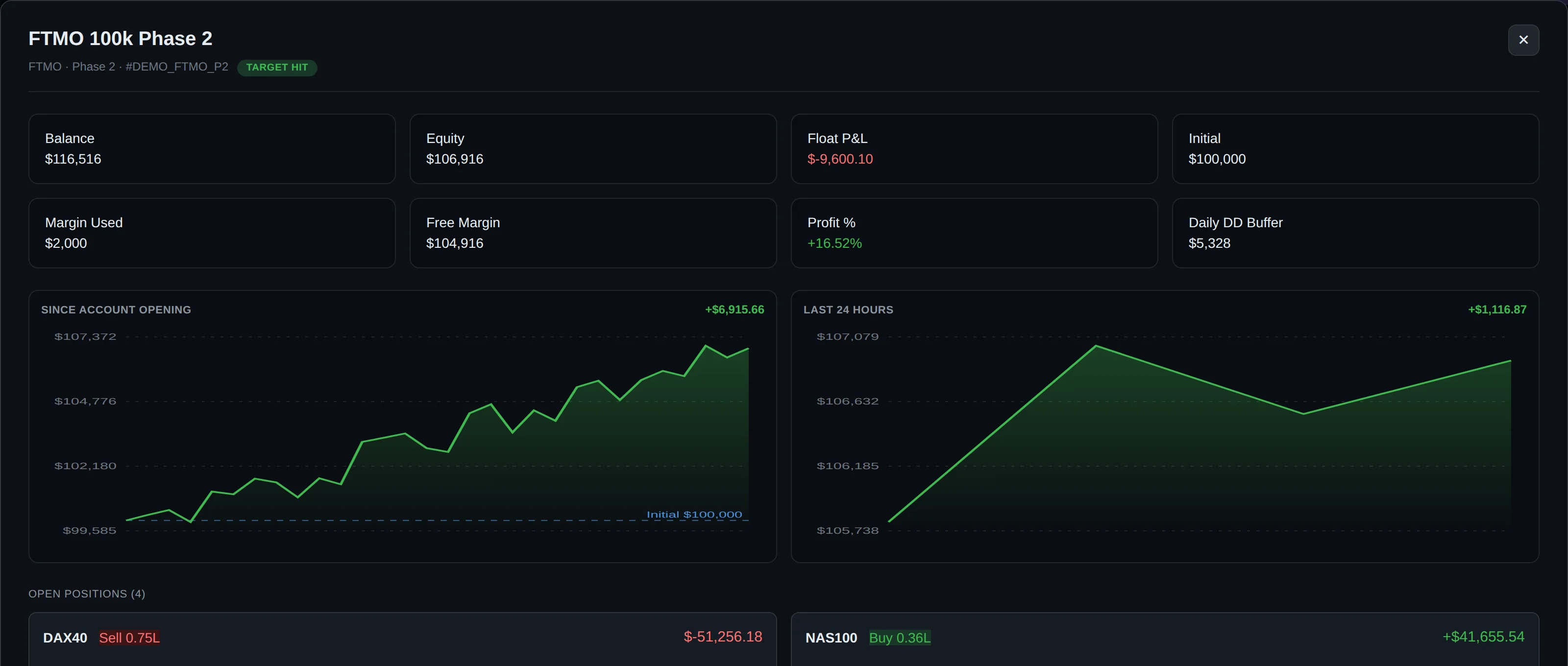
For your Alpaca account DeckLive shows balance, equity and open profit and loss, all live. Every position is listed with its symbol, side, quantity, entry price, current price and P&L.
If you have set a stop loss or take profit, they show too. The numbers come straight from your account through the Alpaca API, so they are not estimates.
Connect in 30 seconds
In Alpaca, generate an API key under Settings, then paste it into DeckLive at /connect-alpaca. Choose paper (virtual funds) or your live account.
That is it. Nothing to install, nothing running on your computer, no investor password. The account appears on your dashboard and starts updating right away.
Read-only by design
DeckLive only reads your Alpaca account. It fetches balance, equity and positions and never places orders or moves money.
Your API key is stored encrypted. The connection is built for monitoring, not trading, so DeckLive can show your account without ever acting on it.
Cross exposure and total risk
Because your Alpaca stocks sit next to your other accounts, DeckLive nets the same instrument across all of them. If you are long a name in one account and exposed to a correlated one elsewhere, you see the combined picture.
This is the part single-broker apps cannot give you: one honest view of your total risk across stocks, prop firms, forex and crypto.
Frequently asked questions
Is it safe to share my Alpaca API key?
Yes. DeckLive uses it for reading only. It never trades or withdraws, and the key is stored encrypted.
Does it work with Alpaca paper trading?
Yes. You can connect a paper account with virtual funds, or your live account. Both stream the same way.
Do I need to install anything?
No. It is fully cloud-hosted. You connect the API key once and the account shows up. Nothing runs on your machine.
Can DeckLive place trades in my account?
No. The connection is read-only. DeckLive reads your balance, equity and positions and never sends orders.
What data does DeckLive show for an Alpaca account?
Balance, equity and open P&L for the account, plus every open position with its entry price, current price, P&L and any stop loss or take profit.
Data sources
The rules and limits cited on this page come from the official rules published by each prop firm (FTMO, FundedNext, The5ers, Funding Pips, The Funded Trader, E8, Topstep, Apex) and from the MetaTrader 4 and 5 platform documentation. The equity, balance, P&L and drawdown values shown in DeckLive are read in real time directly from your MT4/MT5 account — they are not estimates.