The Ultimate Audacity Capital Dashboard for Real-Time Tracking
Managing multiple funded accounts across different prop firms can be overwhelming, especially when you need to keep a constant eye on your drawdown limits and profit targets. Relying on manual checks or disconnected platforms often leads to missed warnings, putting your hard-earned progress at risk.
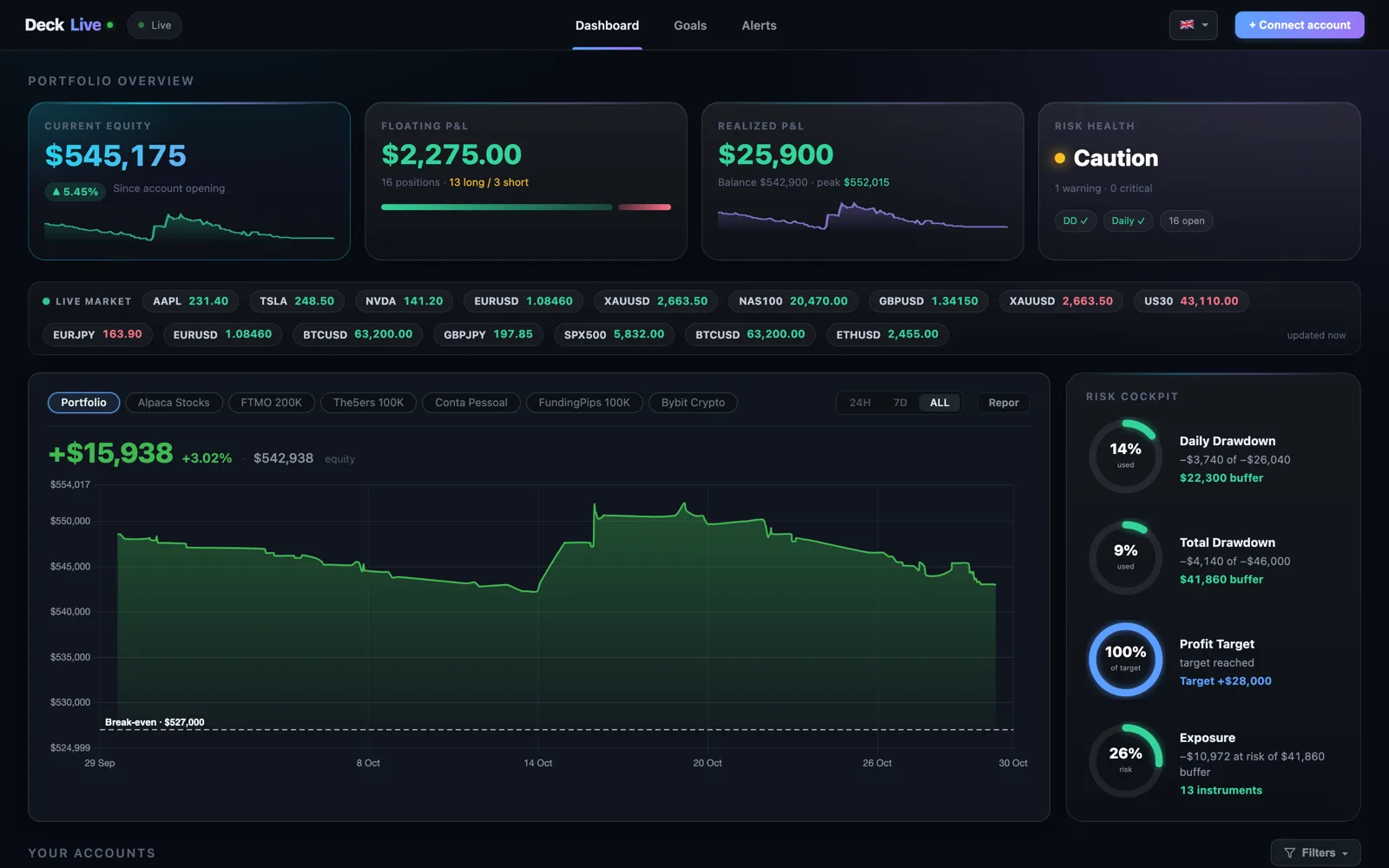
DeckLive provides a centralized Audacity Capital dashboard that aggregates all your prop firm and personal broker accounts into one real-time view. By connecting via your read-only investor password, our cloud-hosted platform ensures you stay informed with instant updates and critical alerts without the need for a VPS or extra software.
Why not just use your prop firm's own dashboard?
- All your accounts on one screen, not one at a time
- Live updates every few seconds, not a manual refresh
- Telegram and email alerts before you breach a limit
- Each prop firm's rules (Daily DD, Max DD, Profit Target) pre-configured per account
Unified Monitoring for All Your Accounts
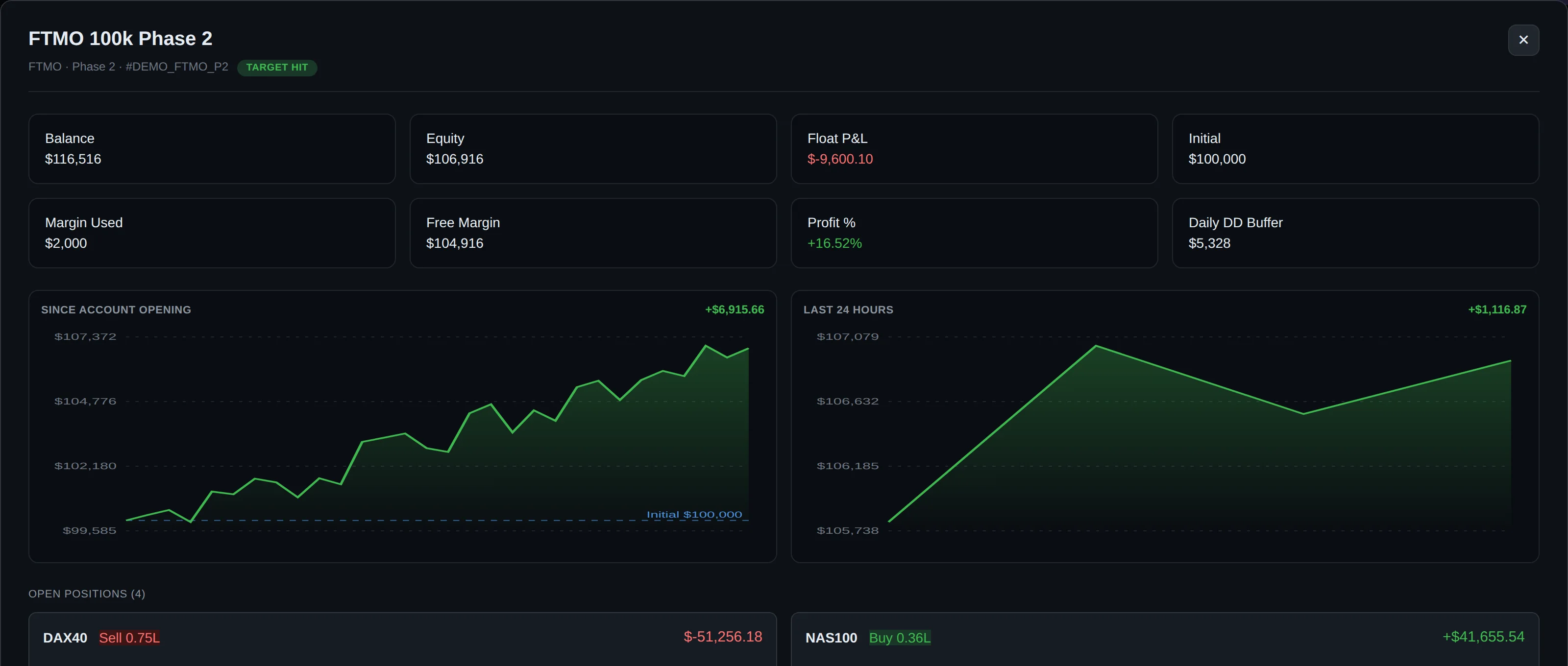
DeckLive simplifies your trading routine by displaying your balance, equity, floating P&L, and current drawdown for every account on a single screen. Whether you are managing multiple Audacity Capital accounts or balancing personal MT4/MT5 broker accounts, our interface keeps your data synchronized and accessible.
The dashboard updates every few seconds via WebSocket technology, ensuring that you are always looking at the most current market data. This eliminates the need to switch between different broker apps or login portals to check your status during active trading sessions.
Proactive Risk Management and Alerts
Protecting your funded status is our priority. DeckLive pre-loads the specific rules for your prop firm accounts, including Daily Drawdown, Max/Total Drawdown, and Profit Targets. You no longer have to manually calculate your proximity to a breach.
Our system monitors your account performance continuously and sends Telegram and email alerts before you hit a limit. By providing these warnings in advance, you have the necessary time to adjust your risk management strategy and protect your capital.
Secure and Lightweight Cloud Technology
We prioritize your security and convenience by utilizing read-only investor passwords for all connections. Because DeckLive is cloud-hosted, there is no requirement for you to install MT5, manage a VPS, or run complex Expert Advisors (EAs) on your local machine.
This architecture ensures that your trading performance remains unaffected by your dashboard monitoring. You simply connect your account, and our servers handle the data processing, giving you a professional-grade tracking experience without the technical overhead.
Designed for the Global Trader
We understand that the trading community is global, which is why our platform is fully localized. You can use the DeckLive interface in English, Portuguese (PT/BR), or Spanish, making it easier to manage your accounts in your preferred language.
Our commitment to independence means we are not affiliated with any specific prop firm or MetaQuotes. This neutrality allows us to provide an unbiased tracking tool that works seamlessly with your existing broker infrastructure.
Getting Started with Your Dashboard
Starting your journey with DeckLive is straightforward. We offer a 7-day free trial that allows you to connect up to three accounts, giving you full access to our dashboard features and alert systems. This trial period is the perfect way to see how our real-time tracking can improve your discipline.
Once you experience the clarity of having your Audacity Capital accounts and personal brokers in one place, you can continue to optimize your risk management and focus on scaling your trading results.
Frequently asked questions
How does DeckLive connect to my Audacity Capital account?
DeckLive connects to your MT4/MT5 accounts using your broker's read-only investor password. This ensures we only pull data for monitoring purposes and cannot execute trades or modify your account settings.
Do I need to install software or use a VPS?
No. DeckLive is a cloud-hosted platform. There is no need to install MT5 software, run an EA, or maintain a VPS. Simply connect your account credentials through our secure dashboard.
Can I track both prop firm and personal broker accounts?
Yes. You can manage a mix of prop firm accounts, such as Audacity Capital, alongside your personal MT4/MT5 broker accounts all within the same dashboard interface.
How often does the dashboard update?
Our dashboard utilizes WebSocket technology to update your account balance, equity, floating P&L, and drawdown status every few seconds, providing a near-instant view of your trading performance.
What happens if I approach my drawdown limit?
DeckLive monitors your pre-loaded account rules and sends automated alerts via Telegram and email. These notifications are designed to reach you before a limit is breached, allowing you to manage your risk proactively.
Data sources
The rules and limits cited on this page come from the official rules published by each prop firm (FTMO, FundedNext, The5ers, Funding Pips, The Funded Trader, E8, Topstep, Apex) and from the MetaTrader 4 and 5 platform documentation. The equity, balance, P&L and drawdown values shown in DeckLive are read in real time directly from your MT4/MT5 account — they are not estimates.