The Ultimate Maven Trading Dashboard for Real-Time Monitoring
Managing multiple prop firm challenges and personal broker accounts can be overwhelming. Traders often struggle to keep track of varying risk rules across different platforms, leading to accidental breaches of Daily Drawdown or Max Drawdown limits when they are away from their terminals.
DeckLive offers a centralized Maven Trading dashboard that aggregates all your MT4 and MT5 accounts into one real-time interface. By using your investor password, our cloud-hosted platform monitors your balance, equity, and floating P&L, ensuring you stay informed about your account status without needing a VPS or additional software installations.
Why not just use your prop firm's own dashboard?
- All your accounts on one screen, not one at a time
- Live updates every few seconds, not a manual refresh
- Telegram and email alerts before you breach a limit
- Each prop firm's rules (Daily DD, Max DD, Profit Target) pre-configured per account
How DeckLive Connects to Your Accounts
DeckLive operates using the MetaTrader investor password, which provides read-only access to your trading data. This means you do not need to install any Expert Advisors (EAs) or keep a VPS running to maintain your connection.
Because the platform is entirely cloud-hosted, it functions independently of your local trading terminal. Once connected, your account data is transmitted via WebSocket, ensuring that your dashboard updates every few seconds to reflect the most current market conditions.
Real-Time Risk Management and Alerts
Staying within the specific rules of a prop firm is critical for passing challenges and maintaining funded accounts. DeckLive pre-loads your specific account parameters, including Daily Drawdown, Max Drawdown, and Profit Targets, to keep you within your limits.
Our system actively monitors your performance and sends proactive alerts via Telegram and email. By notifying you before a breach occurs, you gain the necessary time to adjust your strategy or close positions to protect your account standing.
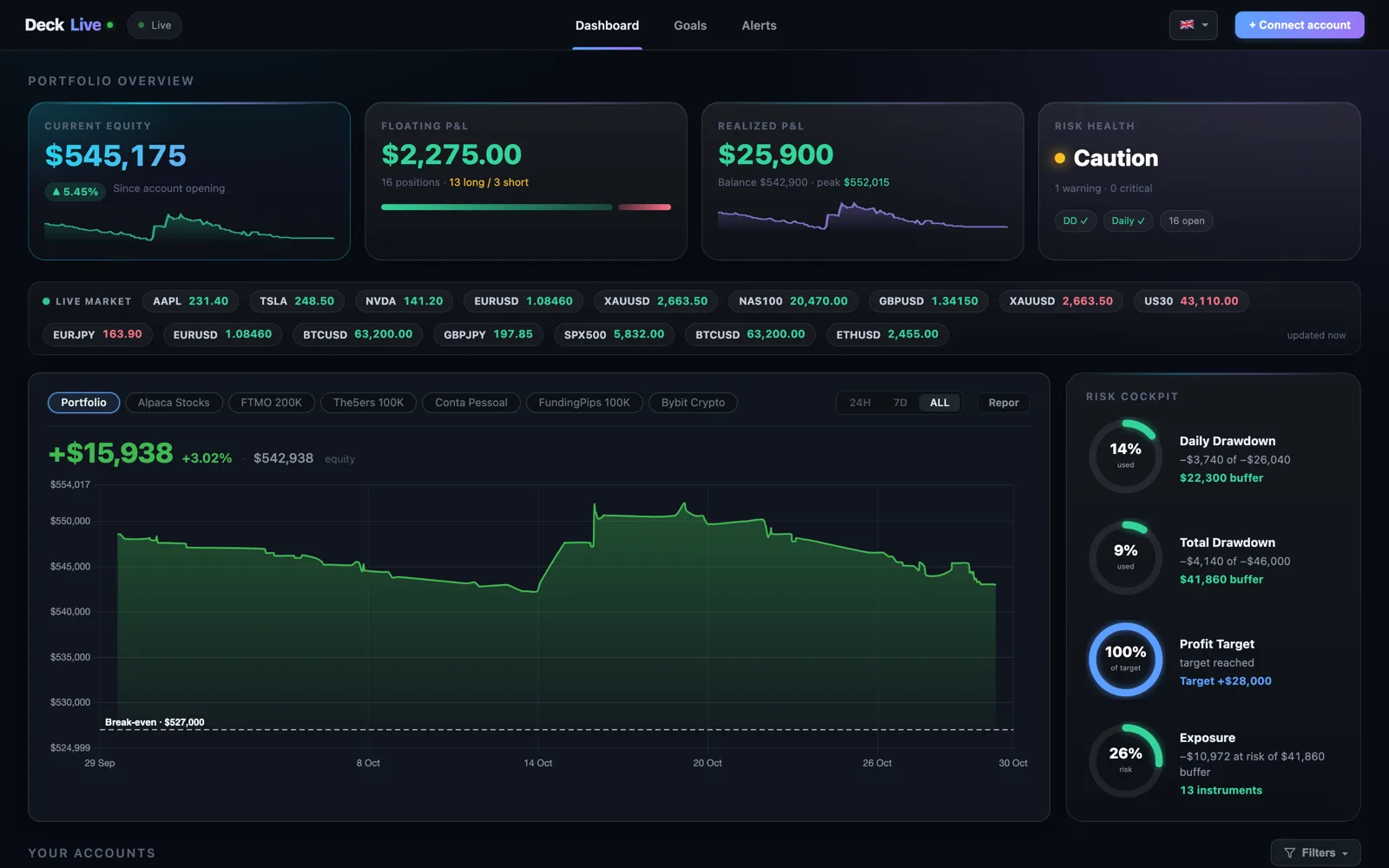
Unified View for Multi-Account Traders
For traders managing a mix of Maven Trading accounts and personal broker accounts, switching between multiple MT4 or MT5 instances is inefficient. DeckLive solves this by displaying all your accounts on a single, clean screen.
You can instantly view your total balance, equity, and floating P&L across all connected accounts. This bird's-eye view allows for better decision-making and a clearer understanding of your overall capital exposure at any given moment.
Independent and Secure Tracking
DeckLive is an independent service and is not affiliated with any prop firm or MetaQuotes. Our goal is to provide traders with a neutral, high-performance monitoring tool that works consistently regardless of your chosen broker or prop firm provider.
Security is a priority, which is why we rely strictly on investor passwords. This setup ensures that your trading credentials remain secure while allowing our platform to pull the necessary data to keep your dashboard updated in real time.
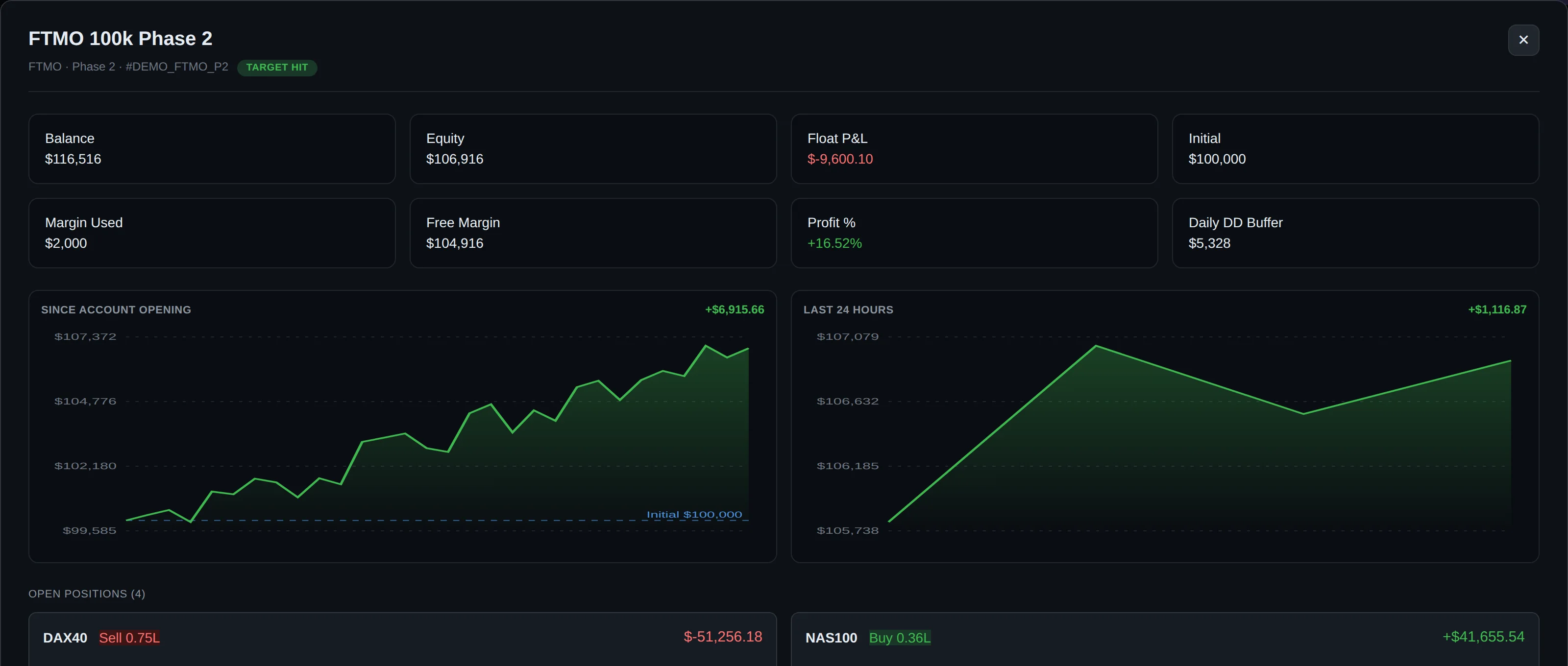
Getting Started with Your Dashboard
We believe in the quality of our service, which is why we offer a 7-day free trial for new users to connect up to three accounts. This trial period allows you to experience the convenience of centralized monitoring firsthand.
Our interface is designed for global accessibility and is available in English, Portuguese (PT/BR), and Spanish. Whether you are in the middle of a challenge or managing a funded account, DeckLive provides the stability and clarity you need to trade with confidence.
Frequently asked questions
Does DeckLive require a VPS to track my Maven Trading accounts?
No, DeckLive does not require a VPS. The platform is entirely cloud-hosted and connects to your accounts using your MetaTrader investor password, which provides read-only access.
Can I monitor accounts from different brokers simultaneously?
Yes. DeckLive is designed to aggregate both prop firm accounts, such as Maven Trading, and personal broker accounts into one dashboard, provided they use the MT4 or MT5 platforms.
How does DeckLive help me avoid breaching my drawdown limits?
DeckLive pre-loads your account's specific rules, such as Daily Drawdown and Max Drawdown. The system monitors your floating P&L in real time and sends alerts via Telegram and email before you hit a breach threshold.
Is my trading account safe if I use an investor password?
Yes. An investor password provides read-only access, meaning DeckLive can view your account data to update your dashboard but cannot place, modify, or close trades.
Are there language options available for the dashboard?
Yes. The DeckLive interface is currently available in English, Portuguese (PT/BR), and Spanish to support our diverse community of traders.
Data sources
The rules and limits cited on this page come from the official rules published by each prop firm (FTMO, FundedNext, The5ers, Funding Pips, The Funded Trader, E8, Topstep, Apex) and from the MetaTrader 4 and 5 platform documentation. The equity, balance, P&L and drawdown values shown in DeckLive are read in real time directly from your MT4/MT5 account — they are not estimates.