The Ultimate SabioTrade Dashboard for Challenge and Funded Accounts
Managing multiple SabioTrade challenge phases or juggling several funded accounts alongside personal broker accounts can quickly become overwhelming. Keeping track of floating P&L, current equity, and strict risk limits across separate terminal windows often leads to missed details and costly mistakes.
DeckLive solves this by providing a unified, real-time SabioTrade dashboard that brings all your MT4 and MT5 accounts onto a single screen. Monitor your balance, equity, floating P&L, and drawdown metrics without installing any software, setting up a virtual private server, or attaching expert advisors.
Why not just use your prop firm's own dashboard?
- All your accounts on one screen, not one at a time
- Live updates every few seconds, not a manual refresh
- Telegram and email alerts before you breach a limit
- Each prop firm's rules (Daily DD, Max DD, Profit Target) pre-configured per account
Real-Time Tracking for Your SabioTrade Accounts
When you are actively trading a SabioTrade challenge or managing a funded account, every second counts. Traditional terminal setups require constant switching between different platform instances, making it difficult to maintain a clear overview of your total exposure across the board.
DeckLive streams your account data via WebSocket, updating balances, equity, and floating P&L every few seconds. By centralizing your metrics on one intuitive dashboard, you can instantly assess your overall trading performance and make informed decisions without losing time.
Monitor Drawdown Rules and Profit Targets Effortlessly
Prop firm trading comes with strict guidelines regarding Daily Drawdown, Max Total Drawdown, and specific Profit Targets. Violating any of these parameters can result in an immediate breach of your SabioTrade challenge or funded account, ending weeks of hard work in an instant.
DeckLive pre-loads your specific prop firm rules for each connected account directly onto the dashboard. You can clearly see your distance from each limit, allowing you to manage your risk parameters effectively and stay fully compliant with all evaluation criteria.
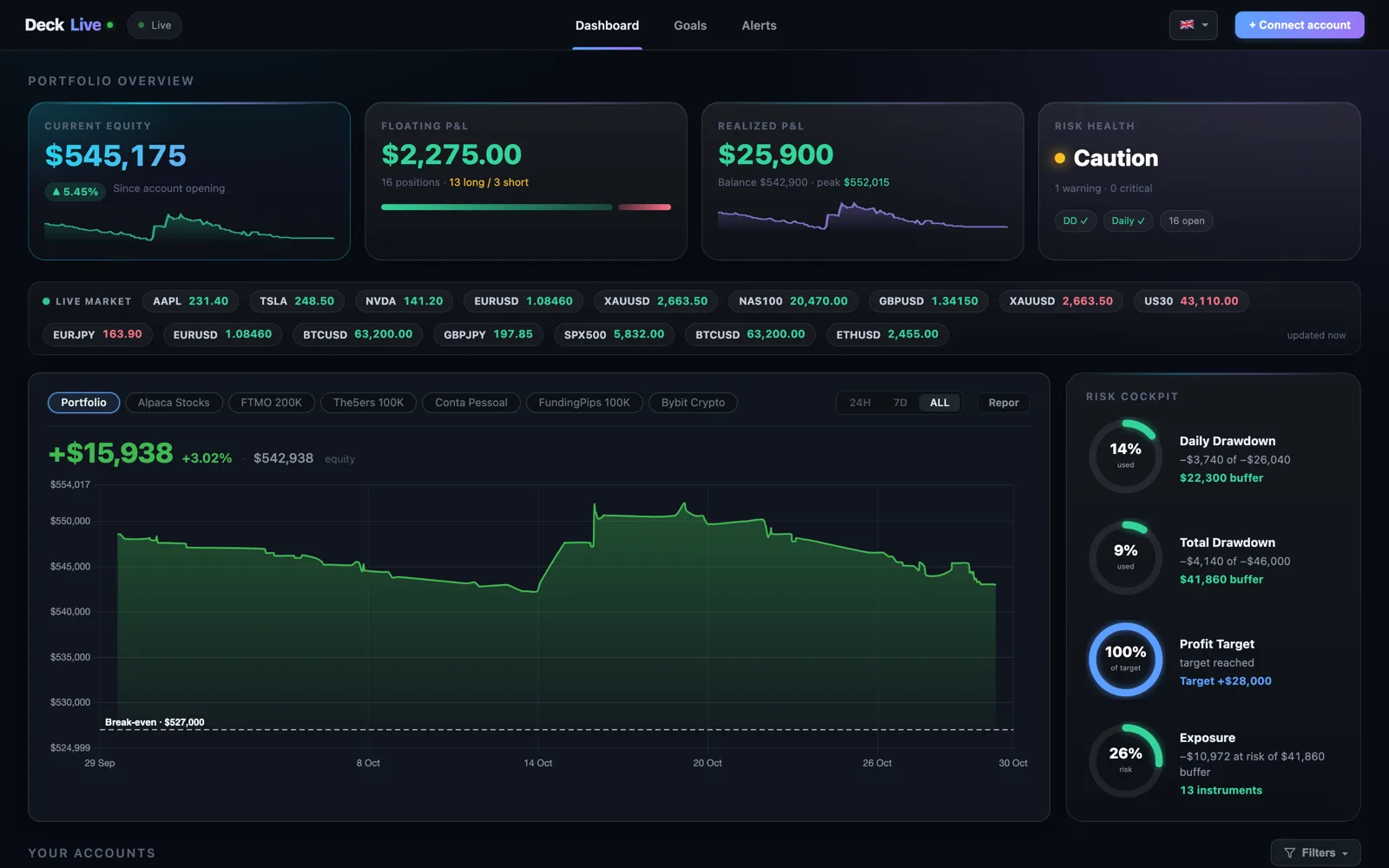
Instant Telegram and Email Alerts Before a Breach Occurs
Market volatility can spike unexpectedly, pushing your floating drawdown closer to forbidden thresholds before you even notice the change on your standard trading terminal. Waiting until it is too late is the most common reason traders fail their evaluations.
DeckLive monitors your positions continuously and sends automated Telegram and email alerts before a drawdown limit is actually breached. These proactive warnings give you the critical time needed to adjust your positions, cut losses, or step away from the charts.
Secure and Easy Connection via Investor Password
Connecting your SabioTrade accounts to an external monitoring tool should never compromise the security of your capital or require complicated technical installations involving virtual private servers or custom EA files.
DeckLive connects entirely through your broker investor password, providing read-only access to your account data. This cloud-hosted approach means no MT5 software installation is required, keeping your setup streamlined, fast, and completely secure.
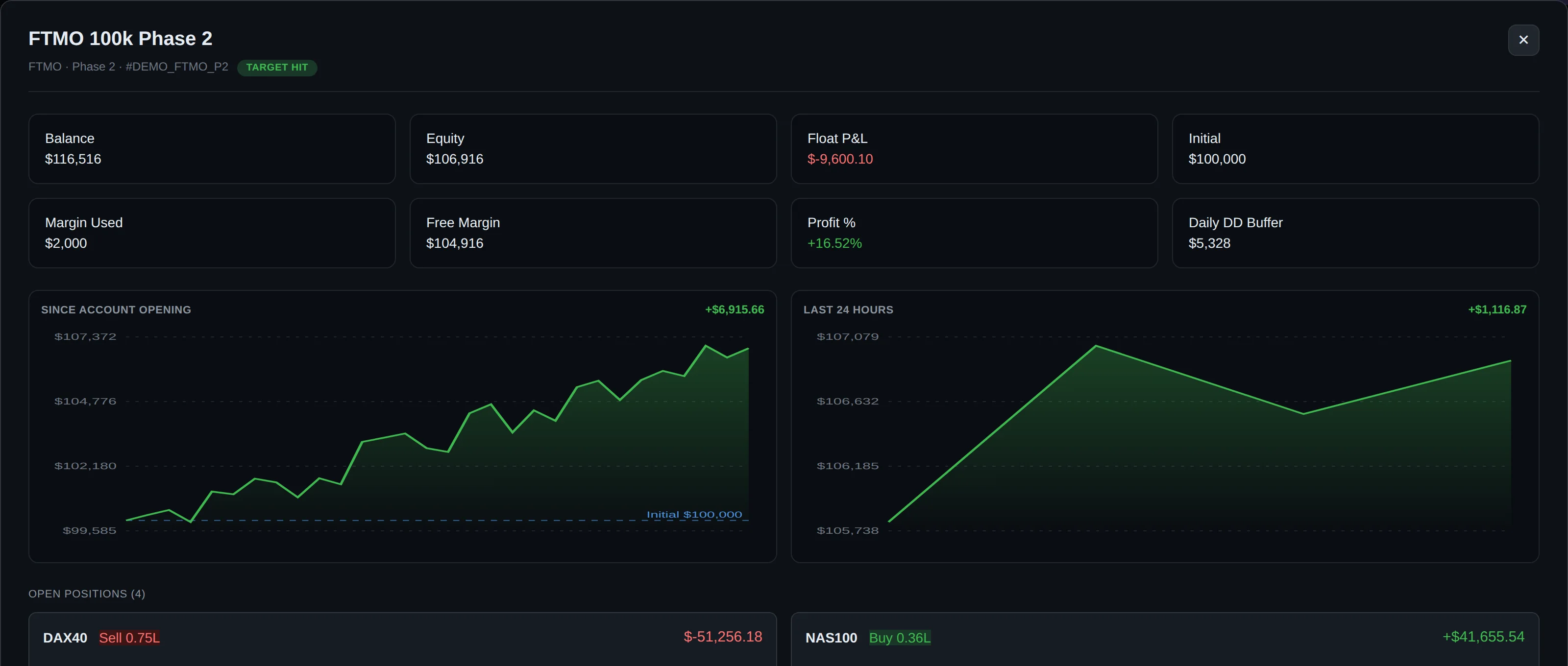
Manage Personal Broker and Prop Firm Accounts Together
Most active traders do not rely solely on funded accounts; they often manage personal broker accounts alongside their prop firm challenges, creating a fragmented workflow across multiple platforms and login credentials.
DeckLive is designed to bring both prop firm and personal MT4 or MT5 accounts into a single, cohesive ecosystem. Whether you are tracking a SabioTrade evaluation or monitoring your own capital, everything is organized neatly on one multi-account dashboard available in English, Portuguese, and Spanish.
Frequently asked questions
How do I connect my SabioTrade account to the DeckLive dashboard?
You can connect your SabioTrade account securely by using your broker investor password, which provides read-only access. There is no need to install MetaTrader 5, set up a VPS, or run any expert advisors on your charts.
Does DeckLive track SabioTrade drawdown limits automatically?
Yes. DeckLive pre-loads prop firm rules—including Daily Drawdown, Max Total Drawdown, and Profit Targets—for each connected account, displaying your current status clearly on the dashboard.
How do the alert notifications work for drawdown limits?
DeckLive monitors your accounts in real time and sends automated alerts via Telegram and email before a drawdown limit or rule is breached, giving you time to manage your risk.
Can I track both SabioTrade funded accounts and personal broker accounts?
Yes. DeckLive is a multi-account dashboard that supports both prop firm accounts and personal MT4 or MT5 broker accounts on a single screen, updating every few seconds via WebSocket.
Is DeckLive officially affiliated with SabioTrade or MetaQuotes?
No. DeckLive is an independent monitoring tool and is not affiliated with, endorsed by, or partnered with any prop firm or MetaQuotes.
Data sources
The rules and limits cited on this page come from the official rules published by each prop firm (FTMO, FundedNext, The5ers, Funding Pips, The Funded Trader, E8, Topstep, Apex) and from the MetaTrader 4 and 5 platform documentation. The equity, balance, P&L and drawdown values shown in DeckLive are read in real time directly from your MT4/MT5 account — they are not estimates.