The Ultimate Futures Prop Firm Dashboard for Real-Time Tracking
Managing multiple funded accounts across different prop firms can be overwhelming. Traders often struggle to keep track of their daily drawdown, profit targets, and overall equity when juggling several MT4 or MT5 logins simultaneously.
DeckLive provides a centralized futures prop firm dashboard that aggregates your data in real-time. By connecting via an investor password, you can monitor all your accounts on one screen without the need for additional software, VPS hosting, or complex EA installations.
Why not just use your prop firm's own dashboard?
- All your accounts on one screen, not one at a time
- Live updates every few seconds, not a manual refresh
- Telegram and email alerts before you breach a limit
- Each prop firm's rules (Daily DD, Max DD, Profit Target) pre-configured per account
Unified Multi-Account Monitoring
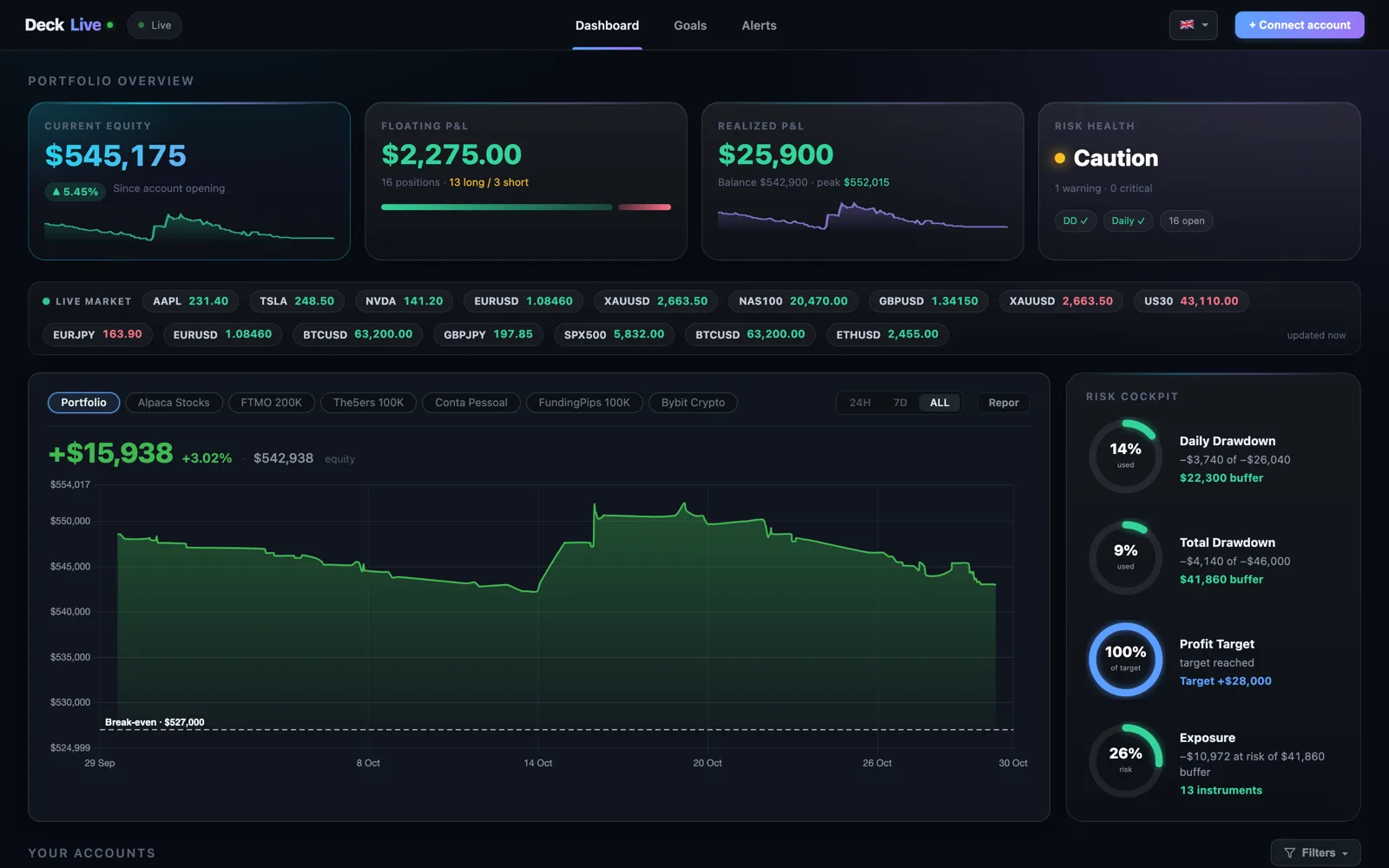
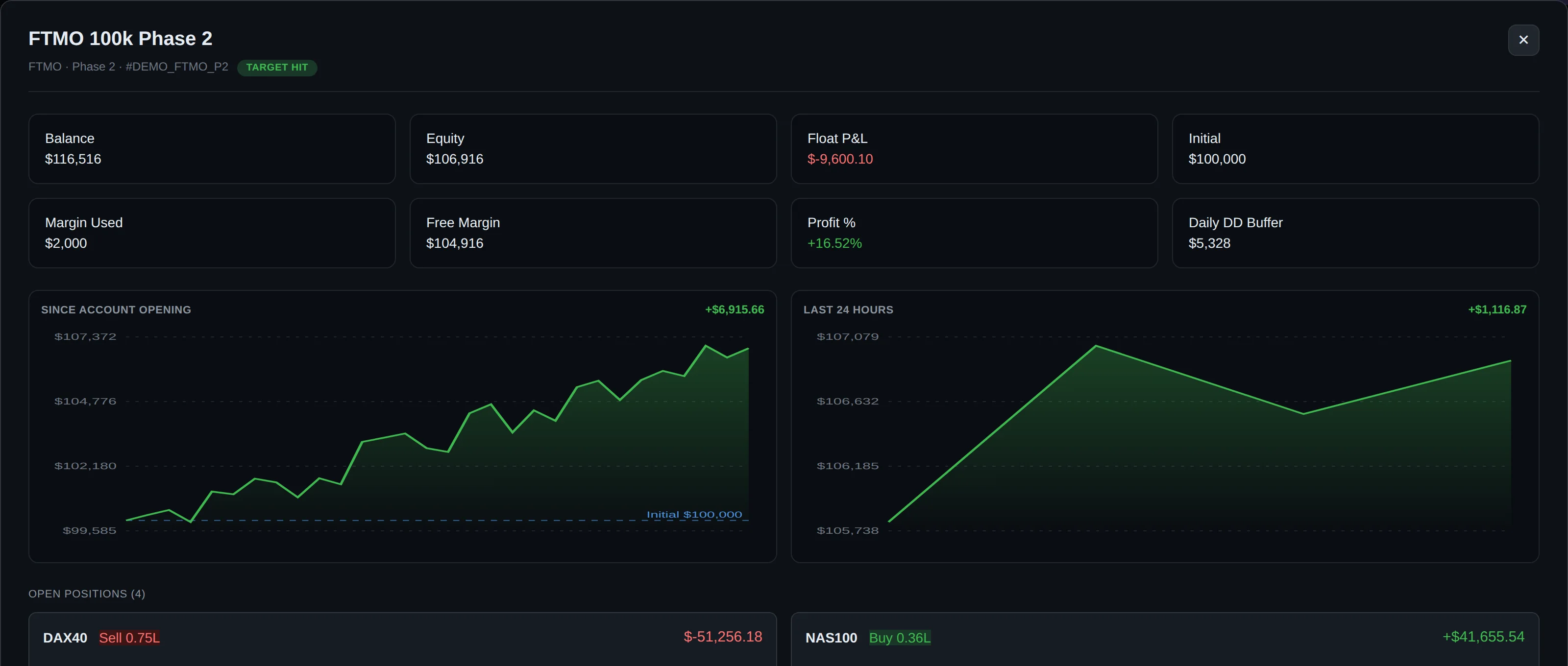
DeckLive allows you to view your balance, equity, floating P&L, and drawdown for every account in a single interface. Whether you are managing personal broker accounts or multiple funded accounts, everything is synchronized via WebSocket to ensure updates occur every few seconds.
This real-time visibility is essential for traders who need to make split-second decisions. By seeing the status of all your accounts at a glance, you eliminate the need to switch between multiple terminal windows or platforms.
Secure Connection Without VPS
Security and simplicity are at the core of our platform. DeckLive connects to your accounts using only the broker investor password, which provides read-only access to your data. This means you do not need to install MT5, run an EA, or maintain a VPS to keep your dashboard active.
Because we are cloud-hosted, your data is accessible from any device. We are an independent service and are not affiliated with any specific prop firm or MetaQuotes, ensuring that your trading setup remains neutral and secure.
Proactive Risk Management Alerts
Navigating the strict rules of a funding challenge requires constant vigilance. DeckLive pre-loads your specific prop firm rules, including Daily Drawdown, Max/Total Drawdown, and Profit Targets, directly into the dashboard for every account.
Our system monitors these limits continuously and sends automated Telegram and email alerts before a breach occurs. This early warning system helps you manage your risk effectively and stay within the boundaries of your funded account agreement.
Designed for Global Traders
Trading is a global profession, and our platform reflects that. The DeckLive interface is fully localized in English, Portuguese (PT/BR), and Spanish to ensure that traders around the world can navigate their account metrics with ease.
We prioritize a clean, intuitive UI that focuses on the data that matters most to your performance. Whether you are in the middle of a challenge phase or managing a live funded account, our dashboard is built to support your growth.
Getting Started with DeckLive
We believe in the value of our platform, which is why we offer a 7-day free trial for new users. This trial allows you to connect up to three accounts and experience the benefits of real-time monitoring firsthand.
Setting up your dashboard is straightforward and requires no technical expertise. Simply connect your accounts using your read-only investor credentials and start tracking your performance across all your prop firm and personal broker accounts immediately.
Frequently asked questions
What is an investor password and why is it required?
An investor password is a read-only credential provided by your broker. It allows DeckLive to view your account balance, equity, and trade history without granting permission to execute, modify, or close any trades. This ensures your account remains secure while we pull the data needed for your dashboard.
Does DeckLive support all prop firms?
DeckLive supports any prop firm or broker that provides MT4 or MT5 access. As long as you have an investor password for your account, you can add it to your dashboard. We are an independent service and are not affiliated with any specific prop firm.
Do I need to install any software on my computer?
No, DeckLive is entirely cloud-hosted. You do not need to install MT4/MT5, run an Expert Advisor (EA), or maintain a VPS. Once your accounts are connected, the dashboard updates automatically via our servers.
How do the alert notifications work?
Once you input your specific account rules—such as Daily Drawdown or Profit Targets—into the dashboard, our system monitors your floating P&L and equity. If your account approaches a defined limit, we send an immediate alert via Telegram and email so you can take action.
Can I try DeckLive before committing?
Yes, we offer a 7-day free trial that allows you to connect up to three accounts. This gives you full access to the dashboard features so you can see how our real-time tracking improves your management of funded accounts.
Data sources
The rules and limits cited on this page come from the official rules published by each prop firm (FTMO, FundedNext, The5ers, Funding Pips, The Funded Trader, E8, Topstep, Apex) and from the MetaTrader 4 and 5 platform documentation. The equity, balance, P&L and drawdown values shown in DeckLive are read in real time directly from your MT4/MT5 account — they are not estimates.