Secure Read-Only Trading Account Monitoring for Funded Traders
Managing multiple prop firm challenges and personal broker accounts usually means jumping between dozens of terminal windows, risking fatigue and costly mistakes. When trading with strict drawdown limits, missing a sudden shift in floating P&L can result in an instant account failure.
DeckLive solves this by providing real-time multi-account dashboard tracking for MT4 and MT5 accounts. Using a secure investor password connection, the platform aggregates your balance, equity, floating P&L, and drawdown into a single screen without touching your execution environment.
Why not just use your prop firm's own dashboard?
- All your accounts on one screen, not one at a time
- Live updates every few seconds, not a manual refresh
- Telegram and email alerts before you breach a limit
- Each prop firm's rules (Daily DD, Max DD, Profit Target) pre-configured per account
How Read-Only Investor Password Connection Works
Connecting your accounts to DeckLive requires only your broker investor password, which provides read-only access to your trading data. Because it uses read-only credentials, the system can never place trades, modify stop losses, take profits, or move money on your accounts.
This architecture ensures complete safety for your capital and funded accounts. You get all the visibility of a centralized terminal without granting any execution permissions to an external service.
Cloud-Hosted Tracking Without VPS or MT5 Installation
Traditional multi-account setups often force you to rent a virtual private server, install multiple instances of MetaTrader 5, and configure complex Expert Advisors. DeckLive is entirely cloud-hosted, removing the need for local installations or VPS management.
Your dashboard updates every few seconds via WebSocket, pulling live data directly to your browser. You can monitor your active prop firm challenges and personal broker accounts from any device, anywhere, without keeping local terminals running.
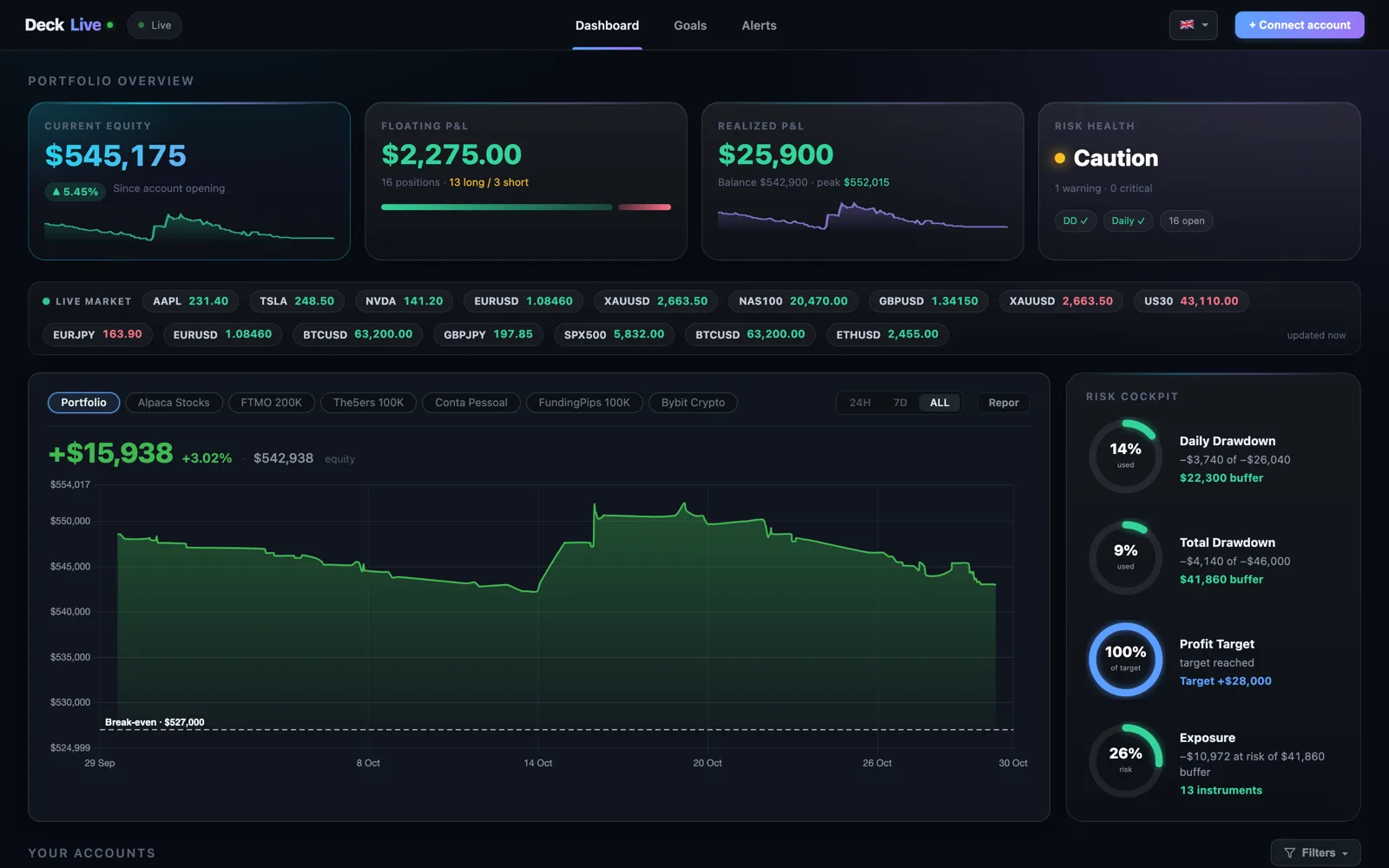
Pre-Loaded Prop Firm Rules and Automated Alerts
Every prop firm enforces strict parameters regarding Daily Drawdown, Max Total Drawdown, and Profit Targets. DeckLive pre-loads these specific rules for each connected account so you always know your exact distance from a breach.
Before any limit is breached, the system automatically dispatches Telegram and email alerts. This early warning system gives you time to adjust your risk management or close open trades before a rule violation occurs.
Monitor Prop Firm Challenges and Personal Accounts Together
Traders frequently juggle evaluation phases, funded accounts, and personal broker accounts across different brokers using MT4 or MT5. Managing these accounts side by side on separate platforms makes it difficult to calculate total exposure.
DeckLive consolidates all your accounts onto one screen, displaying real-time balance, equity, and floating profit and loss simultaneously. You gain a clear, unified view of your entire trading operation in real time.
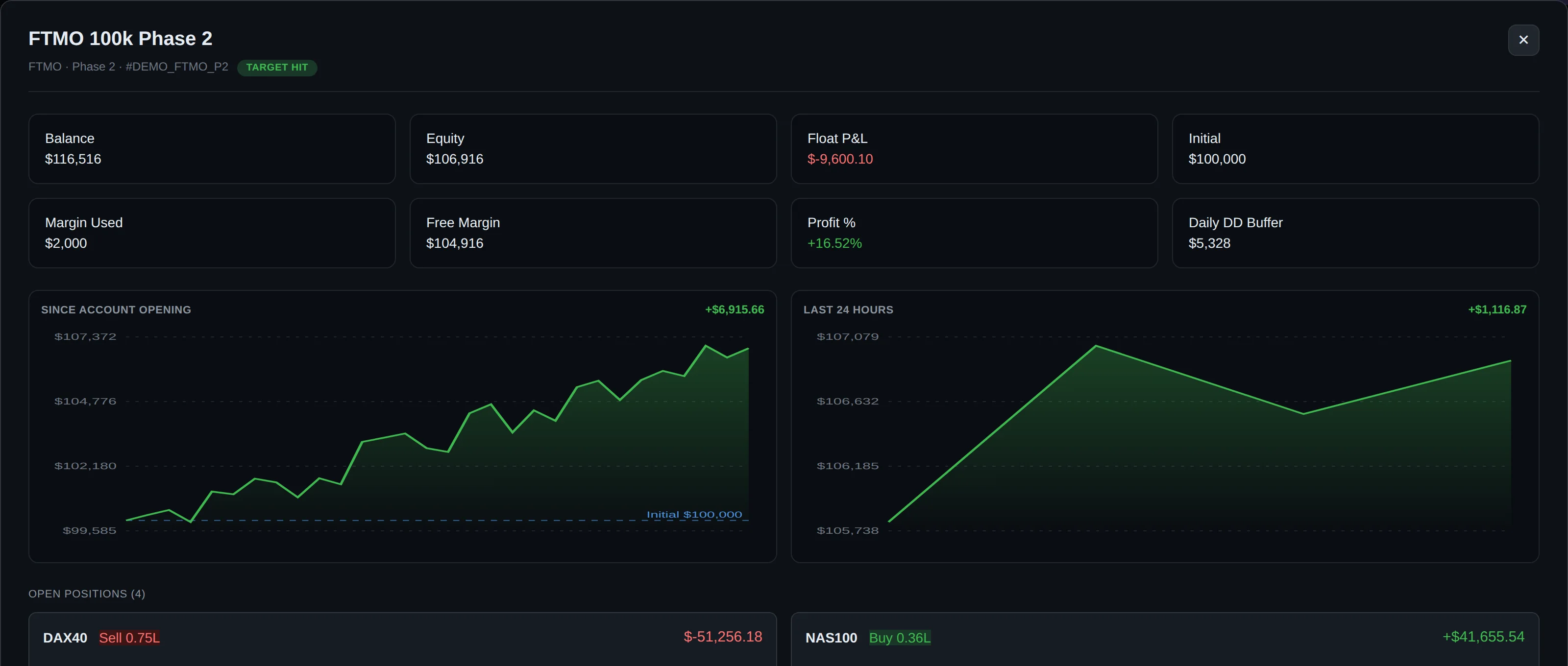
Independent and Secure Multi-Account Dashboard
As an independent service, DeckLive is not affiliated with any prop firm or MetaQuotes, ensuring unbiased monitoring of your trading activity. The platform currently supports English, Portuguese, and Spanish interfaces.
Traders can test the full functionality with a 7-day free trial that supports up to 3 accounts. Experience secure, cloud-based monitoring designed specifically for modern retail and funded traders.
Frequently asked questions
What is read-only trading account monitoring?
Read-only trading account monitoring allows you to track the performance, balance, equity, and drawdown of your MT4 or MT5 accounts using only your broker investor password. This grants the monitoring platform visibility over your statistics while making it technologically impossible to place trades, alter orders, or withdraw funds.
Can DeckLive place trades or change my stop loss?
No. DeckLive connects exclusively via your broker investor password, which is read-only. The platform can read your balance, equity, floating P&L, and drawdown, but it has no execution capabilities and cannot change your stop loss, take profit, or execute any trades.
Do I need a VPS or MetaTrader installed to use DeckLive?
No VPS or MetaTrader installation is required. DeckLive is entirely cloud-hosted, meaning it operates in the cloud and streams real-time updates directly to your dashboard via WebSocket every few seconds.
How do prop firm limit alerts work?
DeckLive pre-loads the specific rules for your prop firm accounts, including Daily Drawdown, Max Total Drawdown, and Profit Targets. When your metrics approach these thresholds, the system sends automated Telegram and email alerts before a limit is breached.
How many accounts can I connect during the free trial?
The 7-day free trial allows you to connect up to 3 accounts. You can monitor your prop firm and personal broker accounts simultaneously across the dashboard during this period.
Data sources
The rules and limits cited on this page come from the official rules published by each prop firm (FTMO, FundedNext, The5ers, Funding Pips, The Funded Trader, E8, Topstep, Apex) and from the MetaTrader 4 and 5 platform documentation. The equity, balance, P&L and drawdown values shown in DeckLive are read in real time directly from your MT4/MT5 account — they are not estimates.